The most reliable baby photo editing prompt names one change and protects everything that should stay real. Start with: “Correct the exposure and white balance only. Preserve the baby's face, expression, eye color, skin texture, birthmarks, hair, body proportions, hands, clothing and pose exactly as shown. Keep the result photographic and natural.” A narrow instruction is easier to review than “make this perfect.”
The 30 prompts below are for generic image-editing or conversational AI tools that accept a reference photo and written instructions. Totti works differently: you choose a ready-made portrait template instead of typing a free-form prompt. Neither route guarantees identity or artifact-free output, so always compare the result with the original at full size.
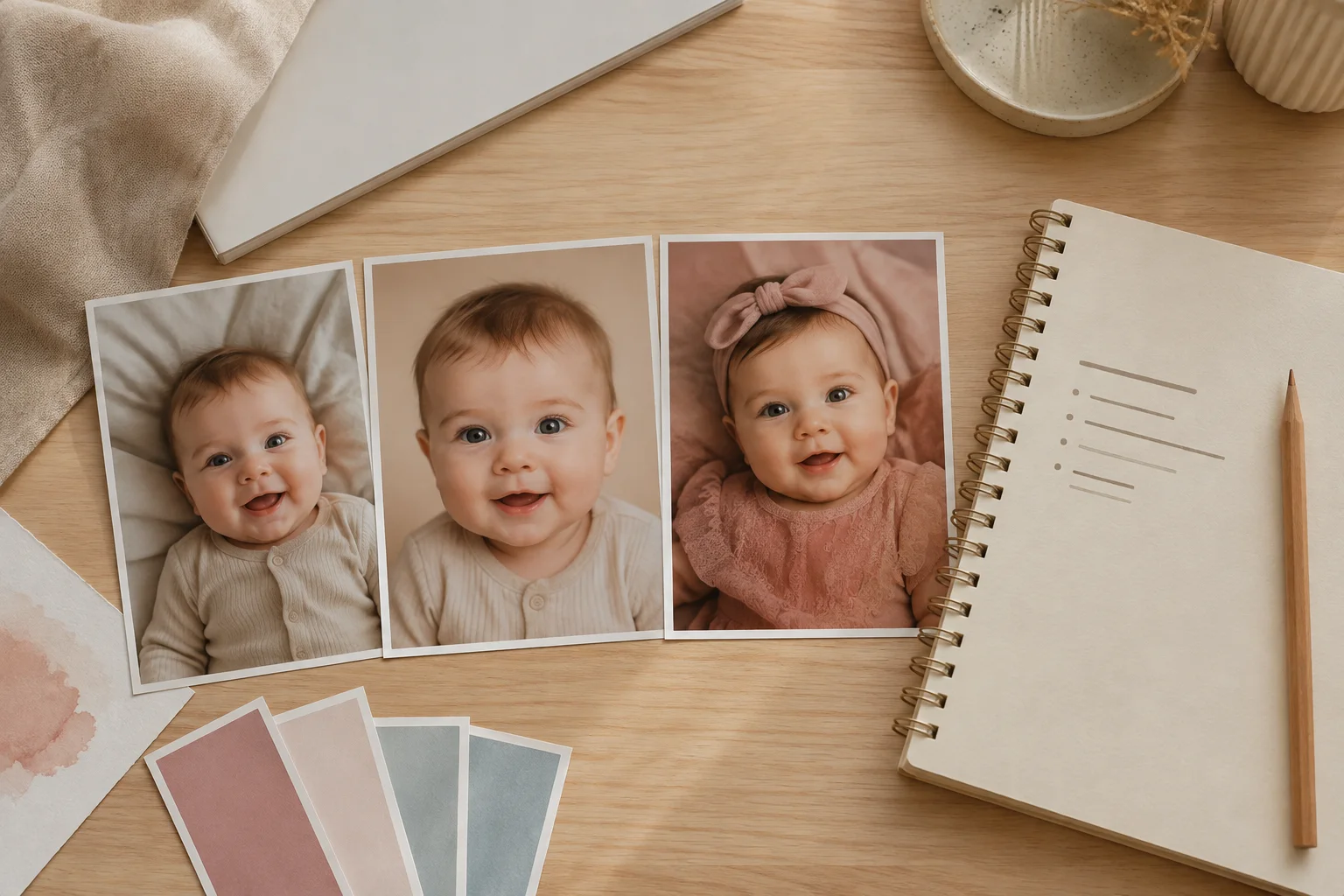
Two prompts tested on synthetic source photos
These are not hypothetical examples and they are not customer photos. On October 1, 2026, we generated two synthetic source photographs with OpenAI ImageGen, then ran one tightly scoped edit on each source. We inspected the full-size source and result side by side before publishing them. The same words can produce a different result in another model or after a model update, so treat the examples as a method to test—not a guarantee.
Example 1: remove bedroom clutter, and nothing else
“Replace only the visible bedroom clutter beyond the cream blanket with a seamless warm-cream studio backdrop. Remove the laundry basket, plush toy, carpet edge and bed edge. Preserve the baby's face, expression, eye color, skin texture, hair, body proportions, hands, sage onesie, exact back-lying pose, camera angle, crop and the cream blanket exactly as shown. Change only the distant background. Add no props or accessories.”
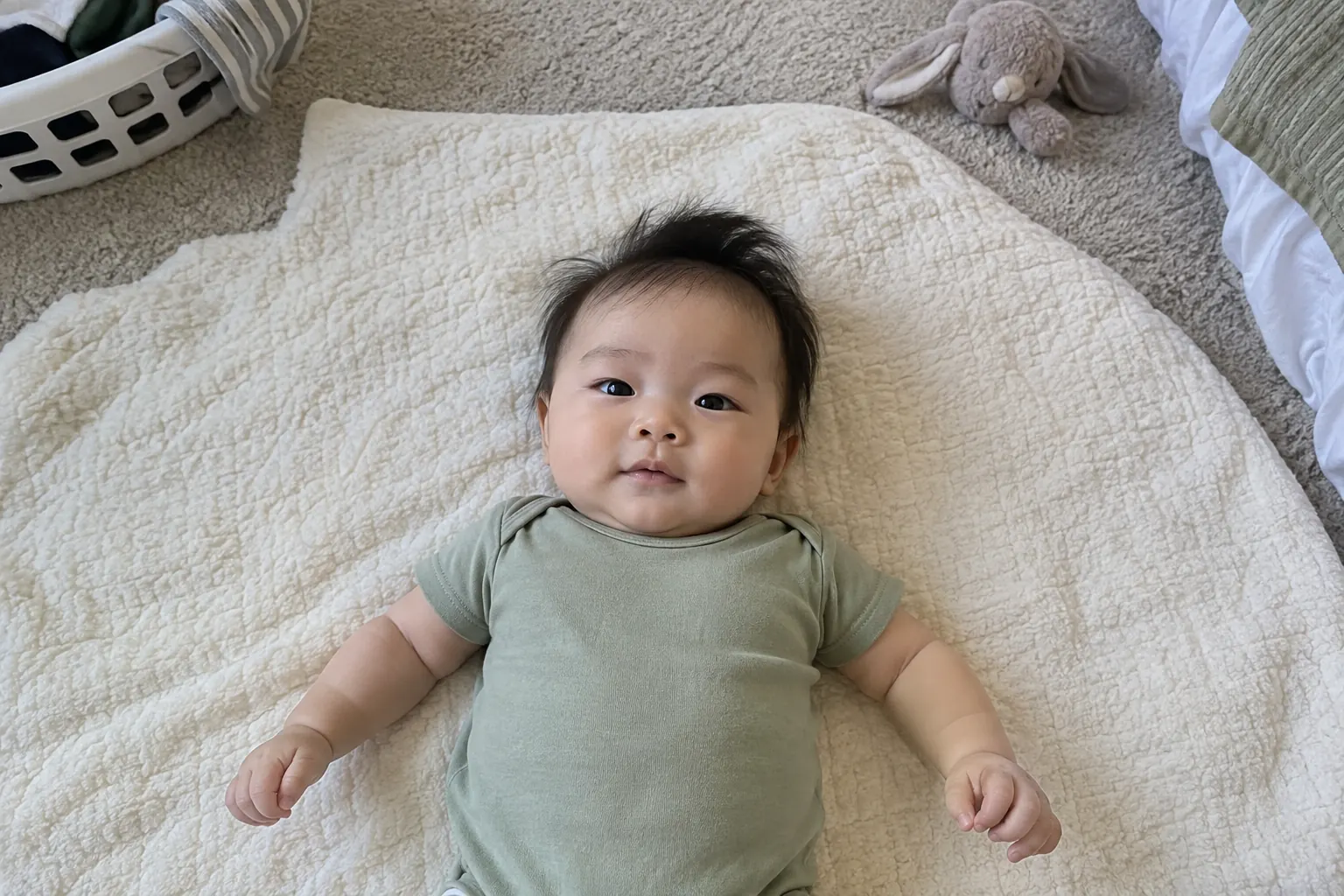
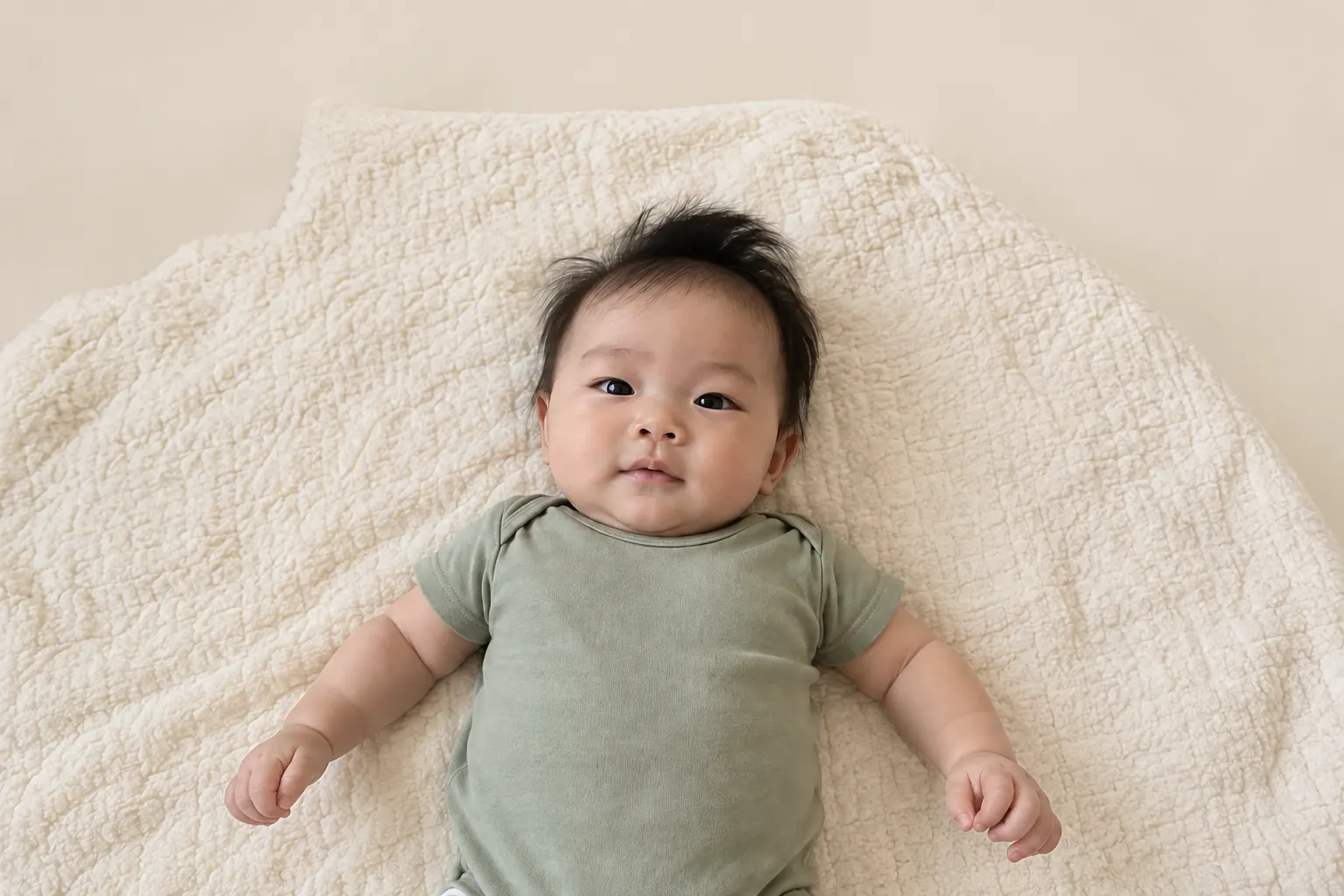
The narrow instruction made the result easy to judge. The allowed change was the distant background; the baby, clothing and blanket were the protected area. If any protected detail had drifted, the right response would have been to reject the edit rather than call the prompt successful.
Example 2: correct the color cast without retouching faces
“Correct only the warm orange color cast and gently lift underexposed shadows so the white cardigan looks neutral and skin remains natural. Preserve both faces, expressions, eye color, hair, skin texture, body proportions, every hand and finger, clothing, exact cradle hold, background, camera angle and crop. Change only white balance, exposure and mild shadow detail. Do not smooth or reshape skin.”
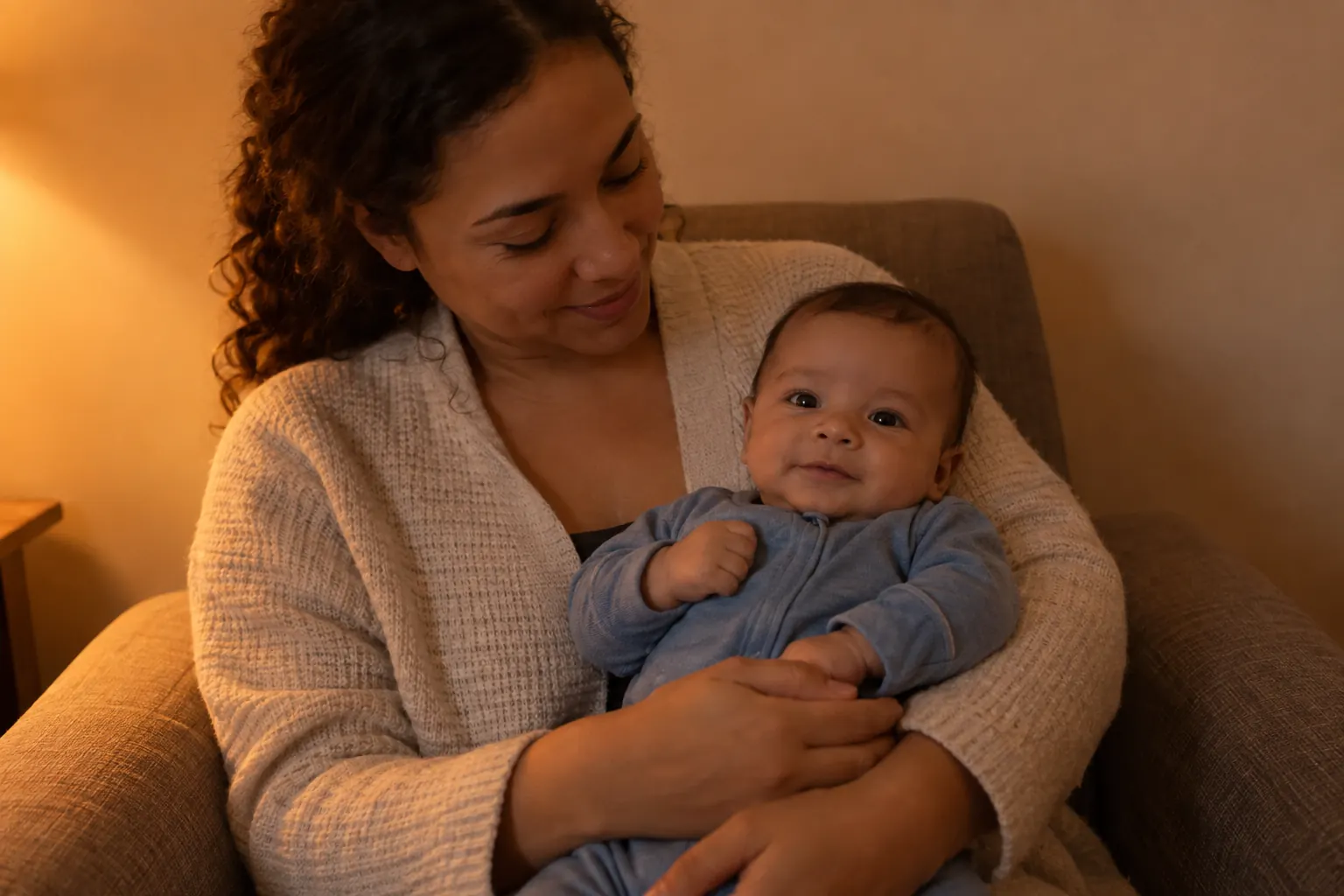
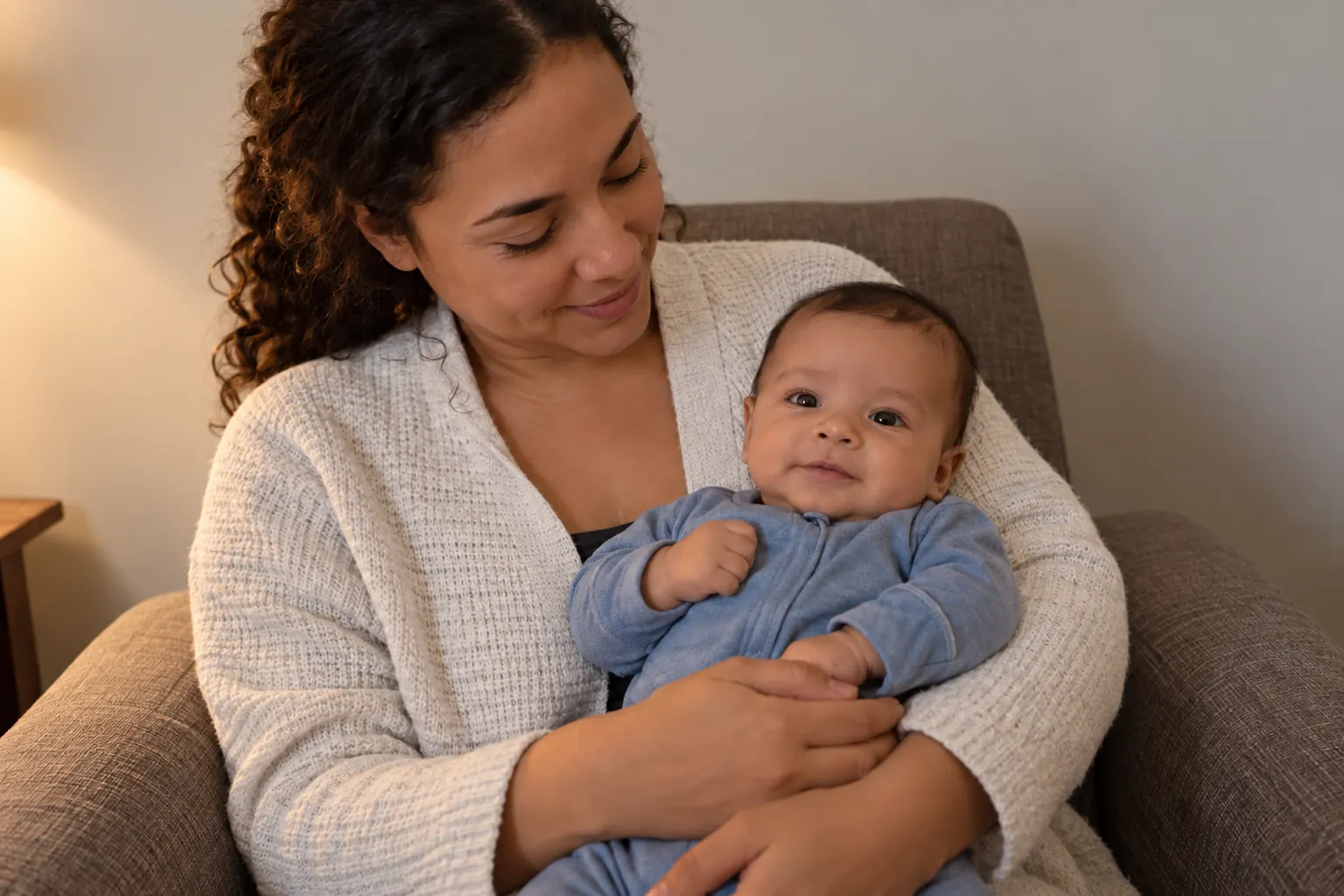
Color correction is usually more predictable in a conventional editor because it changes pixels rather than reconstructing a scene. This generative test stayed close to the source, but we still compared eyes, mouths, hair, fingers and support points. A visually pleasant result is not enough if the people no longer match.
Our dated test method
| Test detail | What we did |
|---|---|
| Date and tool | October 1, 2026; OpenAI ImageGen built-in generation and editing workflow. |
| Source material | Two newly generated synthetic photographs. No real child, customer image or private upload was used. |
| Edit discipline | One edit request per source. We did not quietly composite a different face or repair the result by hand. |
| Review | Side-by-side inspection of faces, expressions, hair, hands, clothing, support points, edges, light direction and scene logic. |
| Publishing | Both source and result were resized losslessly in dimensions and compressed to WebP for the page; the visual content was not retouched afterward. |
A prompt formula that protects the photograph
Build each instruction from five parts: name one task, limit the editable area, list the details to preserve, forbid likely failures and describe the finish. Replace words in square brackets with what is actually in your image. If a small edit changes the baby's features, treat the result as synthetic rather than a corrected original.
Correction prompts: light, color and crop
- Balanced exposure: “Brighten this photo gently while protecting detail in skin and pale clothing. Preserve the face, expression, eye color, skin texture, hair, hands, proportions and background. Do not smooth skin or invent detail.”
- Natural white balance: “Remove the warm orange cast and make neutral fabric look neutral. Keep natural skin variation, eye color, hair and birthmarks unchanged. Use realistic window-light color, not a fashion filter.”
- Recover bright areas: “Reduce only the blown highlights on [blanket/window-side cheek/clothing] and lift deep shadows slightly. Keep the original light direction and facial structure. Do not darken the eyes, reshape the face or add texture that is absent.”
- Straighten and crop: “Straighten and crop to vertical 4:5 with the full head, hands and feet retained. Do not extend the body, create missing limbs or change the pose. Leave comfortable space around the subject.”
- Gentle noise reduction: “Reduce visible low-light color noise while preserving real skin texture, fine hair and fabric weave. Do not blur eyelashes, smooth the face, sharpen edges aggressively or generate new facial detail.”
- Subtle clarity: “Improve overall clarity and focus appearance conservatively without reconstructing the face. Preserve every visible feature and mark. If the source is motion-blurred, keep it naturally soft rather than inventing eyelashes, teeth, fingers or hair.”
Cleanup prompts: simplify without rewriting the moment
Name the exact distraction. Never remove a hand that physically supports a baby; keep the support visible or choose another picture.
- One background object: “Remove only the [basket/cable/package] in the far background and match the existing wall. Do not alter the baby, supporting adult, surface, light or foreground.”
- Blanket lint: “Remove the few visible lint specks from the blanket only. Preserve the blanket's weave and folds, the baby's outline, hair, skin texture and all natural marks. Do not smooth or recolor the skin.”
- Wall distraction: “Simplify the wall by removing the [small picture hook/light switch] behind the subject. Keep the original wall color, texture, shadow direction and depth. Make no changes to any person.”
- Edge clutter: “Clean only the outer ten percent of the frame by removing the cropped [bag/toy] at the edge. Do not expand, reposition or regenerate the baby. Maintain the original perspective and floor pattern.”
- Prop reflection: “Reduce the small glare spot on the [wooden plaque/frame] without changing its shape, color or any readable design. Preserve faces, skin, clothing and lighting exactly. Do not add or rewrite text.”
- Quiet background blur: “Apply mild, believable blur behind the subject while keeping the baby and supporting adult sharply masked. Preserve hair and fingers; do not cut into the outline or blur the face.”
Studio-style prompts: change the setting, not the baby
Use a source where the baby already lies safely on their back on a firm floor-level setup or is held securely. A digital backdrop does not make a physically unsafe source pose acceptable.
- Neutral cream portrait: “Replace only the background with a seamless warm-cream studio backdrop and soft side-window light. Preserve the baby's identity, expression, pose, outfit, skin texture, hair, hands and feet. No basket, raised surface or new accessories.”
- Soft blue minimal set: “Create a simple pale-blue paper backdrop with one realistic ground shadow matching the source light. Keep the baby exactly as photographed. Do not change clothing, eye color, facial shape, limbs or support.”
- Fine-art dark backdrop: “Change the distant background to deep charcoal fabric with restrained contrast. Preserve natural skin color, every feature, support and body position; no dramatic spotlight or crushed shadows.”
- Linen daylight look: “Style the background as plain oatmeal linen in soft daylight. Match the original perspective and light direction. Preserve the baby's real face, proportions, clothing and pose; do not add wraps, pillows, flowers or suspended props.”
- Secure parent-hold portrait: “Keep the parent's ordinary secure hold and both people exactly as photographed. Simplify only the room behind them into a quiet warm-gray studio background. Preserve hands, contact points, faces, skin and clothing; do not remove support.”
- Natural black and white: “Convert to neutral black and white with gentle midtone contrast and visible detail. Preserve every feature and mark. Avoid heavy grain, washed-out skin, blocked shadows or fake damage.”
Seasonal prompts: add atmosphere without unsafe props
- Autumn: “Create a warm autumn-color background with soft amber leaves well behind the subject and believable window light. Keep the baby, safe source pose and clothing unchanged. No pumpkins, leaves or small objects touching the baby.”
- Winter: “Add a calm winter-window background with distant soft lights and cool outdoor tones, while keeping warm natural skin color. Preserve identity, pose, hands and clothing. No artificial snow, cords or lights near the baby.”
- Spring: “Replace only the background with a pale spring garden impression using soft green and blush tones. Keep flowers distant and out of reach. Preserve the baby's face, body, outfit and source lighting; avoid fantasy wings or extra limbs.”
- Summer: “Create a bright, airy summer backdrop with light linen and a softly blurred sky-blue distance. Keep the baby exactly as shown and maintain natural shadow contact. Do not add direct sun, water, sand or props around the baby.”
- Halloween: “Add a friendly illustrated night-sky backdrop with small stars and one distant crescent moon. Preserve the baby's identity, expression, safe position and outfit. No mask, face paint, costume hood or physical props over the baby.”
- First birthday: “Create a restrained first-birthday background with two or three large digital paper shapes and muted confetti in the distance. Keep the child and real support unchanged. Do not add food, balloons, strings, tiny objects or generated text.”
Announcement prompts: leave room for accurate words
Models often misspell names, dates and numbers. Ask for blank space, then add verified wording with a normal layout tool. Keep public versions free of location, medical and identity-document details.
- Hello World card: “Create a clean vertical announcement layout with the portrait centered and a plain empty card area below it. Preserve the baby's face, pose and clothing exactly. Generate no letters, numbers, logos or watermark; I will add verified text separately.”
- Birth announcement: “Place the unchanged portrait within a minimal cream-and-navy announcement layout with generous blank space on the right for name and birth details. Do not generate text or alter the baby. Keep edges safe for 4:5 and square crops.”
- Name reveal: “Create a soft neutral portrait background and reserve one uncluttered area above the subject for a first name. Preserve identity, skin, hair, outfit and pose. Do not invent typography, initials, dates or decorative objects.”
- Monthly milestone: “Build a simple square layout around the unchanged baby photo with one blank circular label area in the top corner. Do not generate an age number. Preserve the baby's exact appearance and keep all design elements outside the body outline.”
- Sibling introduction: “Keep both children exactly as photographed, including their real distance, expressions and support. Simplify only the background and leave a blank caption area. Do not merge faces, swap features, change body contact or add text.”
- Holiday card: “Create a horizontal card using the unchanged family portrait, a restrained evergreen border and blank greeting area. Preserve every face, hand, proportion and outfit. No generated words, logos or people.”
How to review an AI-edited baby photo
Compare source and result side by side at 100% zoom. Check the details a model is most likely to change:
- Identity: face shape, eyes, nose, mouth, ears, hairline, expression and distinctive marks.
- Anatomy: hands, fingers, feet, toes, elbows and visible limb connections.
- Support: every adult hand and contact point remains believable.
- Edges: hair, cheeks, clothing and blankets do not melt into the new background.
- Scene logic: shadows point the same way, objects rest on surfaces and nothing floats or repeats.
- Text: names, dates and numbers are added separately and checked character by character.
When identity is important, one changed eye shape or unfamiliar expression is enough to reject the export. AI resemblance is a goal, not a guarantee. Keep the original and try a narrower instruction or a different image.
Consent, privacy and truthful disclosure
Get agreement from the parent or guardian and every recognizable adult before uploading or publishing. Include an older child in an age-appropriate choice. Avoid hospital documents, identity photos, school details and private medical information.
Read each provider's current policy and settings for storage, retention, training, deletion and sharing. Practices differ and change; a prompt cannot control them. The Australian Government's child-photo privacy guidance helps identify revealing details. Our AI baby photo privacy guide adds a provider checklist.
Label a result “AI-styled” or “AI-edited” when viewers could reasonably think the setting, outfit, event or physical session really happened. Keep the untouched original beside it in the family archive. Never use an AI edit for a passport, visa, school ID or other official record; follow the separate U.S. baby passport photo requirements with an unchanged photograph.
Edit the scene as much as your creative project needs, but review the baby's identity as carefully as if you had not asked it to change at all.
Prompting versus Totti's template workflow
A generic conversational editor begins with a written instruction and may interpret it loosely. Totti begins with an existing baby photo and a selected visual template from its own library. That makes the choice simpler, but the review step remains the same: compare the generated portrait with the source and keep only a result that represents the baby well.

Prefer choosing a template to writing a prompt?
Totti offers more than 50 studio-style, milestone and seasonal portrait templates. The app is free to download for iPhone, requires iOS 17.0 or later, includes optional in-app purchases and can export HD portraits at 2048×2560. Start with a clear photo and compare every result with the original.
Get Totti on the App StoreWhen a normal editor is better
For crop, rotation, brightness, contrast, warmth or saturation, a conventional editor is more predictable. Our free browser baby photo editor performs those adjustments locally and downloads a JPEG; the five-adjustment guide explains what to change first. Reserve generative editing for an intentional creative transformation.
