Totti, the free AI baby photo generator for iPhone, costs $0 to download, and you can generate and export a first portrait without paying. The catalog mixes free choices with optional premium templates and frames; a crown icon identifies a premium item before you select it. In other words, “free” describes a complete first workflow, not a claim that every style in the catalog costs nothing.
This page documents the price boundary: what the $0 path includes, where an optional purchase can appear and what to check before confirming one. For the transformation itself, read the AI newborn photography workflow. If you are ready to create rather than compare limits, start from the Totti product page.
What kind of baby generator is Totti?
Totti is a real-photo baby generator: it starts with a picture of a baby who already exists and restyles the background, lighting and outfit. It is not a future-baby predictor, and it does not combine two parent photos to invent a possible child. That distinction matters when search results use “AI baby generator” for two completely different jobs. Our real-photo versus future-baby generator comparison shows which input and output belong to each.
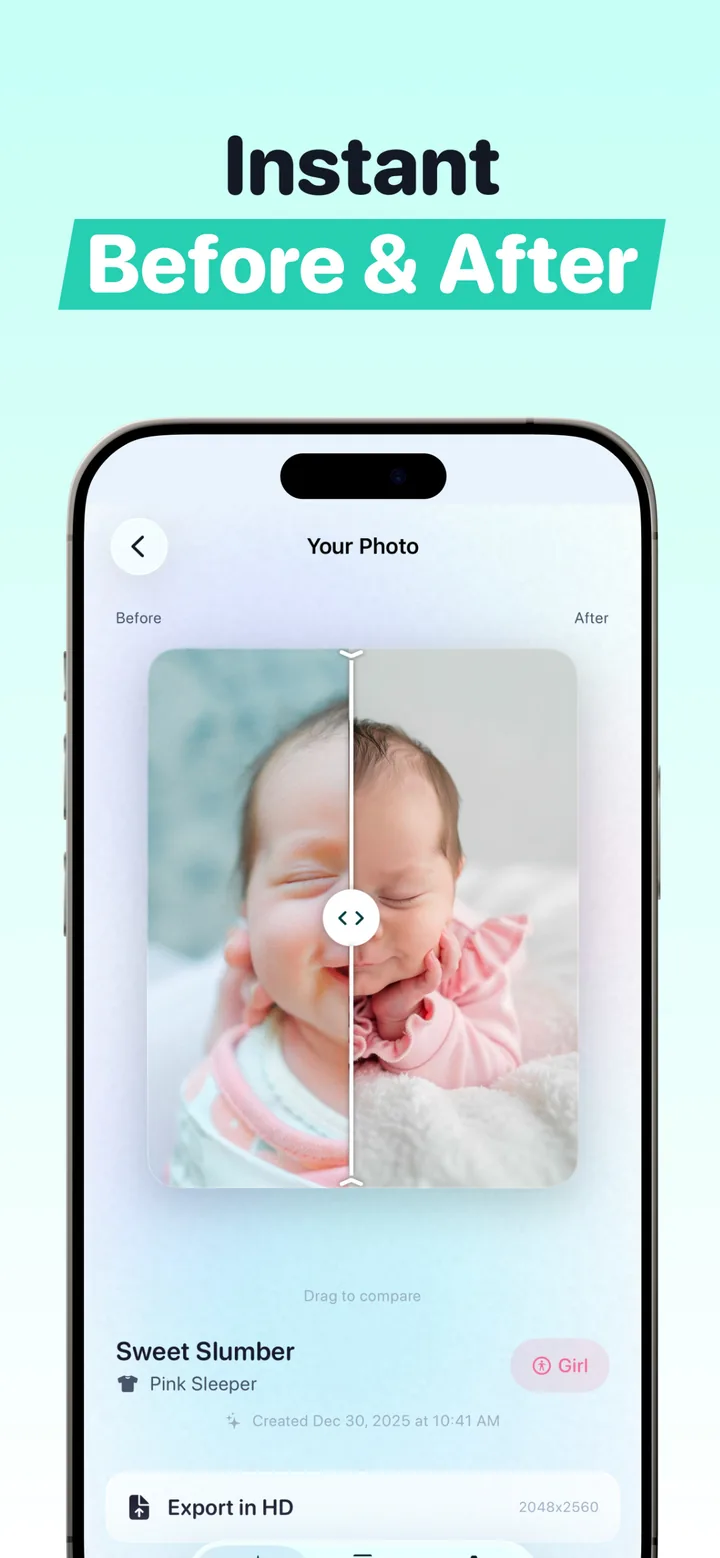
The source photo remains the reference. A generated portrait can still alter a face, hand or clothing edge, so use the before-and-after slider and discard anything that no longer represents the baby accurately.
Totti free versus premium at a glance
| Checkpoint | What the app shows |
|---|---|
| Download | $0 on the App Store |
| First portrait | Generate and export one portrait without paying |
| Template catalog | 50+ total templates, with free and premium choices together |
| Premium marker | A crown icon on paid templates or frames before selection |
| Review and export | Before-and-after comparison, then HD export at 2048×2560 |
| Platform | iPhone with iOS 17 or later |
In-app offerings can change. Treat the crown label and Apple's purchase confirmation sheet as the current source of truth for any price before you approve a purchase.
What does the free AI baby photo generator include?
The free path gives you enough of the product flow to judge a finished result. You can:
- Generate AI photoshoots from your own snapshots. The AI restyles the background, lighting and outfit while aiming to keep your baby recognizable from the source.
- Browse a catalog of 50+ templates across Classic, Cozy and Outdoor categories. Free and crown-marked premium choices appear in the same catalog.
- Create milestone cards like "Hello World" for newborns, plus weekly, monthly and yearly cards with wooden plaque styling. See our baby milestone photos guide for ideas by age.
- Track each baby's journey with a per-baby profile and photo history.
- Compare before and after with the built-in drag slider.
- Export in HD at 2048×2560, print-ready resolution for cards and frames.
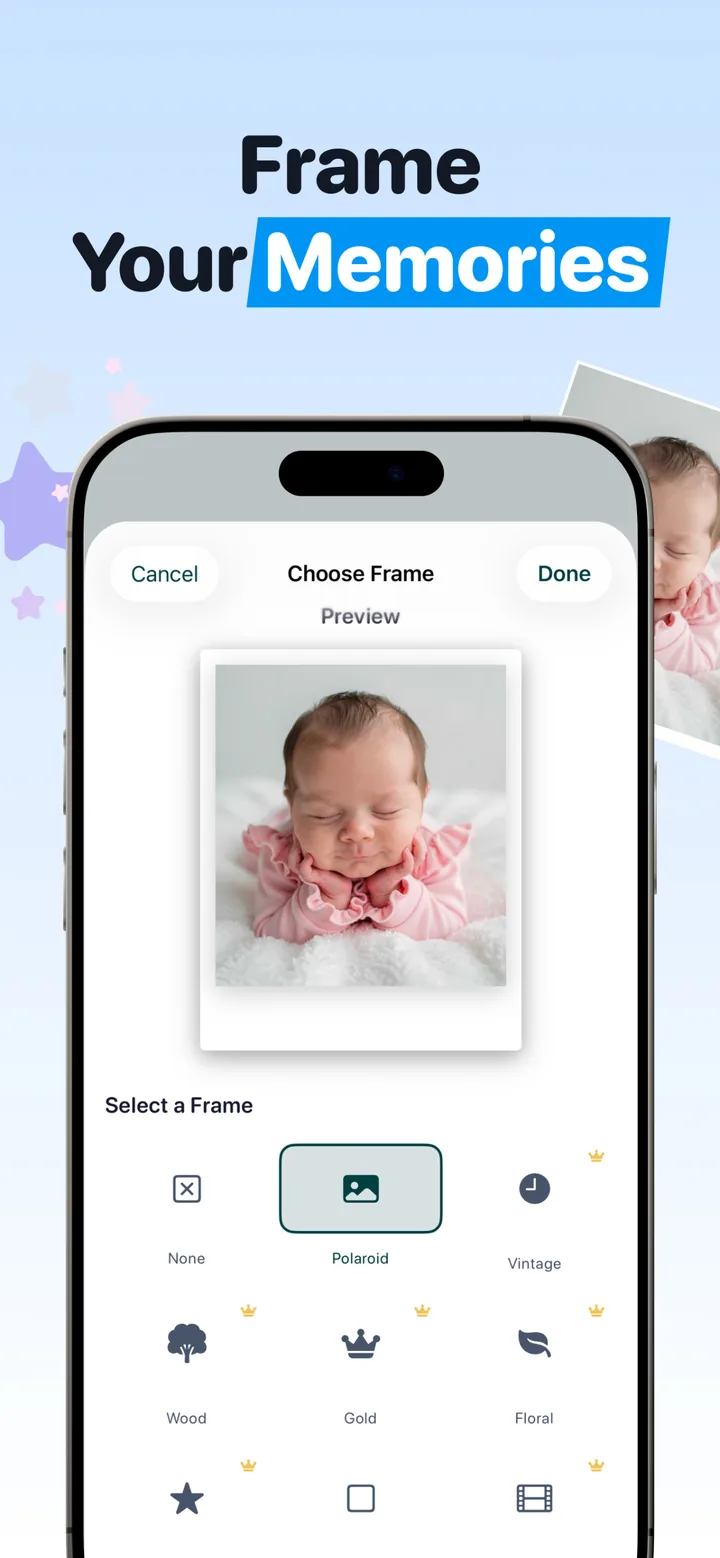
The app runs on iPhone with iOS 17 or later. The product screens make the two checkpoints visible: compare the generated portrait with its source, then look for a crown before choosing a template or frame.
How to get the most out of the free experience
- Start with your best snapshot. A sharp, well-lit photo with the face clearly visible gives the AI the most to work with. Soft daylight usually produces more natural color than a nursery lamp.
- Start with an unmarked template. Classic, Cozy and Outdoor produce different moods from the same source photo. For the $0 route, skip any choice carrying a crown.
- Use the before/after slider to check each result. If something looks off, try a clearer source photo or another template.
- Make the milestone cards a habit. A "Hello World" card at birth, then weekly or monthly cards, builds a matching set that looks intentional on a nursery wall or a social grid.
- Export in HD and back it up. The 2048×2560 export is the version that holds up in print and in announcements.
The honest test of "free": can you go from download to a finished, exportable portrait without paying? In Totti, yes — the paywall isn't between you and your first portrait.
What does premium add, and how will you know?
Some templates and frames are premium and available through optional in-app purchases. In the frame chooser, for example, the app places small crown icons above premium finishes while leaving unmarked choices in the same screen. The crown is the point to pause: use an unmarked option to stay on the $0 path, or review Apple's price confirmation before approving a premium item.
Premium is relevant only when the specific template or finish you want carries that marker. It is not required to judge the core workflow: upload, generation, before-and-after review and a first HD export.
Is a free AI baby photo generator as good as a paid studio session?
The comparison that matters is app-versus-photographer, not free-versus-premium. Per 2026 US pricing guides, newborn photographers charge $150–$400 per hour, and once the session fee, the digitals, the retouching and a print package are added up, a typical session lands at $400–$800, which is the number worth holding in mind through the rest of this page. Full breakdown in our newborn photoshoot cost guide.
| Studio session | Totti ($0 path) | |
|---|---|---|
| Cost | $200–$800 typical | $0 to start |
| Scheduling | Booked days–weeks out | Whenever, from your couch |
| Style choices | 2–3 backdrops | 50+ catalog; premium choices carry crowns |
| Baby's mood risk | One shot at a good day | Use any photo where baby's happy |
| Turnaround | 1–3 weeks for edits | Generated inside the app |
| Output | Professional prints or digitals | First HD export at 2048×2560 |
In practice, the screen holds the original snapshot on one side and the generated portrait on the other, with the outfit swapped and HD export one tap away.

Try the $0 workflow
Download Totti, choose an unmarked template, upload one photo, compare the result with the source and export the first portrait in HD. Premium templates and frames are optional and marked with crowns.
Get Totti on the App StoreCommon questions from "free" skeptics
Do I enter payment details inside Totti before the first portrait? No. Download and start with an unmarked template. Apple controls the App Store account requirements and presents its own confirmation before any in-app purchase.
Can the first result be exported? Yes. The first portrait can be exported in HD at 2048×2560 as part of the $0 workflow.
Is it safe to use AI on my baby's photos? A fair question with its own answer, and we wrote up the full picture in is AI baby photography safe?
Does the AI ever change small details? It can. Totti aims to keep the baby recognizable while restyling the scene, but generated hands, clothing edges or facial details can be imperfect. Use the before-and-after comparison and discard any result that does not match the source. The AI newborn photography guide explains that review step.
