Commercial disclosure: This page is published by Totti, one of the compared apps. NewPic has no involvement, and no affiliate commission is earned from its link. We checked both official U.S. App Store listings on October 18, 2026. We did not install NewPic or run side-by-side generations, so we make no hands-on claim about visual fidelity, speed, reliability, or ease. All product names and trademarks belong to their respective owners; this comparison does not imply affiliation, sponsorship or endorsement.
Short answer: Totti’s listing emphasizes 50-plus portrait templates, virtual outfits, milestone cards, and seasonal newborn-to-first-birthday uses. NewPic’s listing emphasizes 50-plus newborn filters, costume and profession themes, high-resolution export, a photo analyzer, and an on-device processing claim. Neither listing alone proves better likeness, speed, or output quality.
These are close competitors because both promise a new portrait from one baby photo. The responsible choice rests on documented workflow, current privacy disclosures, device compatibility, and the particular themes you want—not unsupported claims of a universal winner.

How do the listings compare?
| Question | Totti | NewPic |
|---|---|---|
| What themes are named? | Blanket scenes, gardens, classic studio portraits, seasons, outfits, and milestone cards | Animal costumes, hero outfits, doctor scrubs, storybook scenes, studio looks, holidays, and other filters |
| What range is stated? | 50+ templates | 50+ AI newborn filters |
| What additional tool is named? | Milestone journey from newborn through first birthday and beyond | Lighting/focus/cuteness analyzer, high-resolution export, and a future-baby mode |
| Install offer | Free to download; in-app purchases | Free to download; in-app purchases |
| Official source | U.S. listing | U.S. listing |
Compatibility checked October 18, 2026: Totti is listed for iPhone and requires iOS 17.0 or later. NewPic is listed for iPhone and requires iOS 15.1 or later. Compatibility can change, so confirm the live listing on the device you plan to use.
Pricing caveat: Both apps were free to download with in-app purchases when checked on October 18, 2026. NewPic’s description and purchase section displayed weekly and annual Pro options at that time; Totti’s page also listed weekly and annual purchases. Prices, trials, eligibility, taxes, and included generations can change. Verify the live purchase sheet rather than relying on this dated comparison.
How did we research two closely overlapping apps?
We read each listing’s product description, supported-device information, in-app purchase indicator, and App Privacy panel. We extracted only concrete, attributable items: template counts, named theme categories, milestone or export functions, and privacy statements. We did not copy marketing adjectives into the verdict and did not treat a developer’s quality statement as independent proof.
A true output test would require the same permissioned photos across several lighting conditions, repeated generations, and a review rubric covering identity drift, anatomy, edges, background coherence, resolution, waiting time, and failure behavior. We did not conduct that test, so this page is a shopping guide based on disclosed scope rather than a laboratory ranking.
Which app has the better theme library?
The listings each state more than 50 choices, but they categorize them differently. Totti highlights baby-photo occasions: cozy blankets, gardens, classic studio scenes, seasonal holidays, coordinated outfits, birth announcements, and recurring milestone cards. NewPic highlights newborn filter variety, including animal costumes, hero outfits, doctor scrubs, storybook fantasy, studio looks, pastels, holiday packs, and coloring-like imaginative themes.
“Better” therefore depends on the image you want. A recurring first-year portrait series and a one-off fantasy costume are not the same project. Browse the live screenshots and theme selection before subscribing; a count alone says nothing about how many choices fit your taste, age range, or intended print format.
Which app is better for monthly milestone portraits?
Totti’s listing more explicitly connects the generator with a journey from newborn through first birthday and later milestones. It names weekly updates, monthly celebrations, yearly memories, “Hello World” cards, seasonal looks, and coordinated outfits. That makes Totti the more clearly documented choice for one repeatable timeline.
NewPic can still produce milestone-worthy images; its listed newborn themes, studio looks, and holiday packs may suit individual months. Its listing, however, is organized more around newborn filters and portrait concepts than around a monthly tracking system. Parents primarily building a time-based record can also consult our baby milestone photo guide.
Where does NewPic have the more directly documented fit?
NewPic has the more directly documented fit where its listing names tools Totti’s listing does not: a built-in analyzer said to evaluate lighting, focus, and “cuteness,” a stated high-resolution export feature, and a future-baby mode. We are not endorsing the analyzer’s scoring or claiming the resulting recommendations are accurate; we are acknowledging that the capabilities are explicitly described.
NewPic also makes a specific on-device processing claim in its description. That is meaningful for shoppers who want to investigate where images are handled. However, this claim should be read alongside the App Privacy panel rather than treated as independently verified. The listing’s privacy section reports that user photos or videos may be collected and linked to identity for app functionality. Those two statements may refer to different features or implementations, and we did not technically inspect the app to reconcile them.
Where does Totti have the more natural fit?
Totti has the more natural fit for a parent seeking an organized sequence of baby-specific portrait occasions, outfit ideas, and milestone cards. Its app description is narrower than NewPic’s analyzer and future-looking features, but that focus can make the intended use easier to understand.
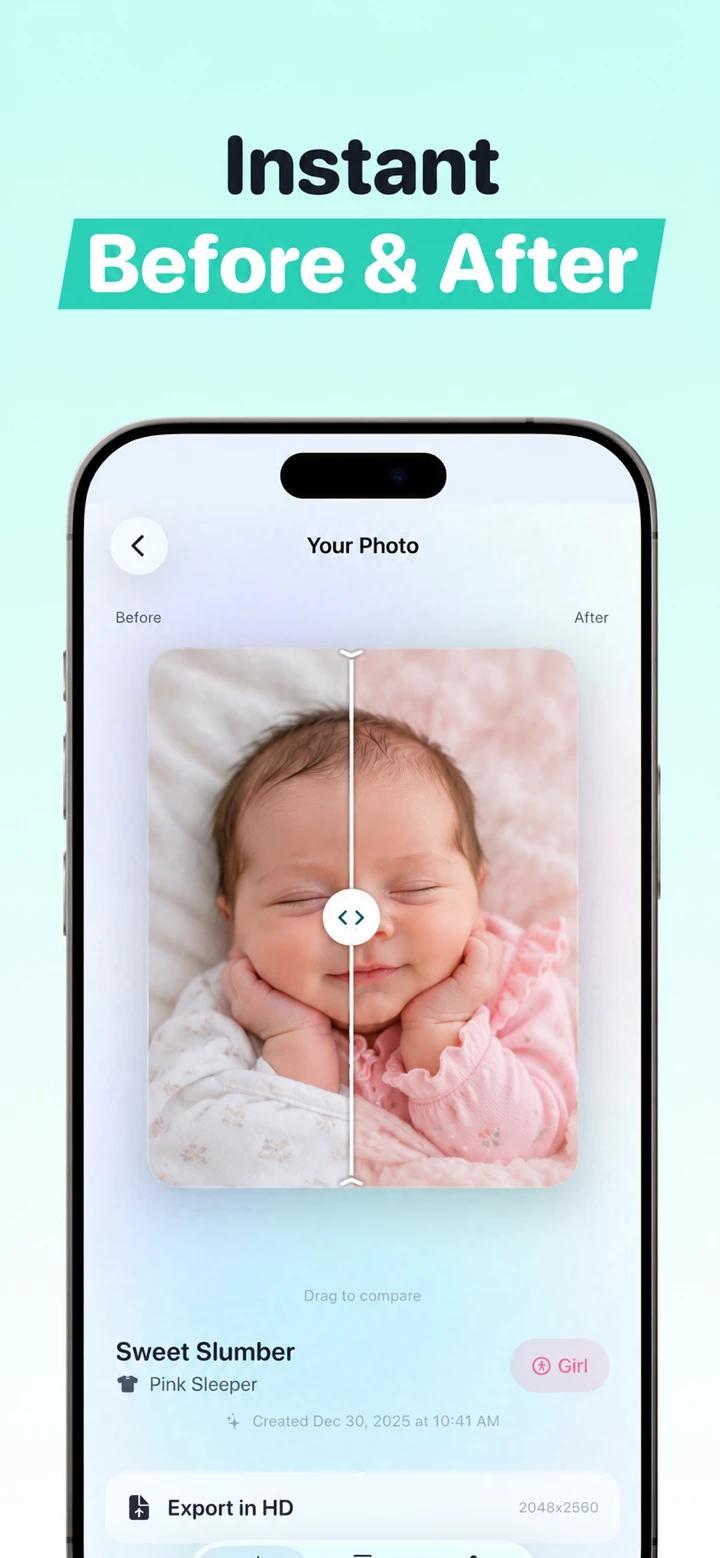
Do not read the screenshot as proof of what every input will produce. Generative results vary. Inspect eyes, fingers, ears, clothing, hair, and objects at full size. If identity seems changed, try a different source or discard the image. Our before-and-after review guide includes a repeatable inspection sequence.
What source photo gives either app a fair chance?
Use a well-lit, in-focus photo with one face clearly visible, natural support, and minimal obstruction. Avoid screenshots of social-media posts, highly compressed messaging images, heavy beauty filters, or pictures where a hand covers the face. Never physically recreate an unsafe newborn pose to match a generated example; ordinary safe handling is enough for a source.
Keep the original resolution where possible and preserve the unedited file. Do not use AI portrait results for passports, identification, medical comparison, or evidence of a real photoshoot. These are creative outputs and should be labeled accordingly.
How do the App Privacy statements differ?
Apple states that App Privacy labels are developer-reported and that this information has not been verified by Apple. Totti’s label reported “Data Not Collected” on October 18, 2026. NewPic’s label reported user content—photos or videos—that may be collected and linked to identity for app functionality. These statements can change and may vary based on the feature used or the user’s age.
Important Totti disclosure: The App Store label and Totti’s linked developer privacy policy do not currently align cleanly. The policy separately says baby photos and selected milestone text are processed by Replicate; profiles can include names, birth dates and milestones; optional Apple cloud backup can include profiles and images; and service-provider retention can extend beyond generation. Do not rely on the label alone. Review both live disclosures before uploading. This article does not determine which App Store privacy categories should apply.
NewPic’s product description separately said processing happens on device. Because we did not inspect network traffic or implementation, we present both official statements without claiming how they fit together. Before uploading, open the latest policy and look for processing, retention, deletion, account linkage, service providers, and model-improvement terms. For any app, use only an image you own or are authorized to edit.
Which app should you choose?
- Choose Totti for a milestone-centered collection of themed portraits, virtual outfits, and newborn-to-first-birthday concepts.
- Choose NewPic if its specific costume, profession, fantasy, analyzer, high-resolution export, or future-baby features match your project.
- Investigate privacy before purchase and read the live policy and label; do not infer technical behavior from one marketing sentence.
- Do a source check before saving either app’s output, and keep the original beside the generated version.
For alternatives with different jobs, read Totti vs LittleCam for frames and background replacement, Totti vs Remini for generation versus restoration, and Totti vs Baby Pics for text and milestone artwork. Our photo AI baby generator guide explains selection criteria without naming one universal winner.

Build a milestone-centered portrait set
Totti is free to download with optional in-app purchases. Start with a clear, permissioned source image, then check each generated result against the original before export.
View Totti on the App Store