The easiest pregnancy announcement photo idea is a simple three-part frame: one meaningful object, one short line of text and enough empty space to make the news obvious. Place tiny shoes beside a card that says “Coming [Month],” photograph it in soft window light, and put the fuller message in the caption. You do not need a styled studio, a visible bump or a public social post to make the reveal feel personal.
This page is for announcing a pregnancy before birth. It is deliberately separate from our post-birth announcement photo guide, which covers the baby's arrival, and from our collection of baby name reveal wording. Use only the stage and details you are comfortable sharing now; there is no required week, format or audience.
Choose the kind of reveal before the props
Start with who should receive the news and what they need to understand. A private message can be intimate and detailed; a public image should usually reveal less. This decision also tells you whether the words need to be inside the photograph or can live in a caption.
| Reveal | Best visual | What to keep clear |
|---|---|---|
| Partner | Gift box, handwritten note or everyday moment | Let the reaction matter more than perfect styling |
| Close family | Printed card, framed photo or video-call screen | Say whether the news is still private |
| Public post | One strong object and a short headline | Remove medical, location and account details |
| No-face post | Hands, shoes, calendar or silhouette | The caption should still state the news plainly |
| Printed keepsake | High-resolution horizontal or vertical portrait | Leave crop room and avoid tiny type |
30 pregnancy announcement photo ideas
Simple ideas to photograph at home
- Tiny shoes and a month card. Place one pair near a window with “Coming [Month]” on a plain card. Shoot both a square frame and a wider version with room for a caption.
- Two mugs and a bottle. Arrange the mugs at the back and the bottle in front so the visual sentence reads immediately. Keep brand labels turned away.
- A book with one new chapter. Open a favorite book beside a bookmark that says “Our next chapter.” Use the caption for the expected month rather than crowding the page.
- Three coats on hooks. Hang two adult coats and one tiny garment between them. A clean wall and side light make the size contrast do all the work.
- The empty chair. Sit together with a small empty chair or space between you. Hold a simple card in that gap and look at each other instead of the camera.
Ultrasound and keepsake ideas
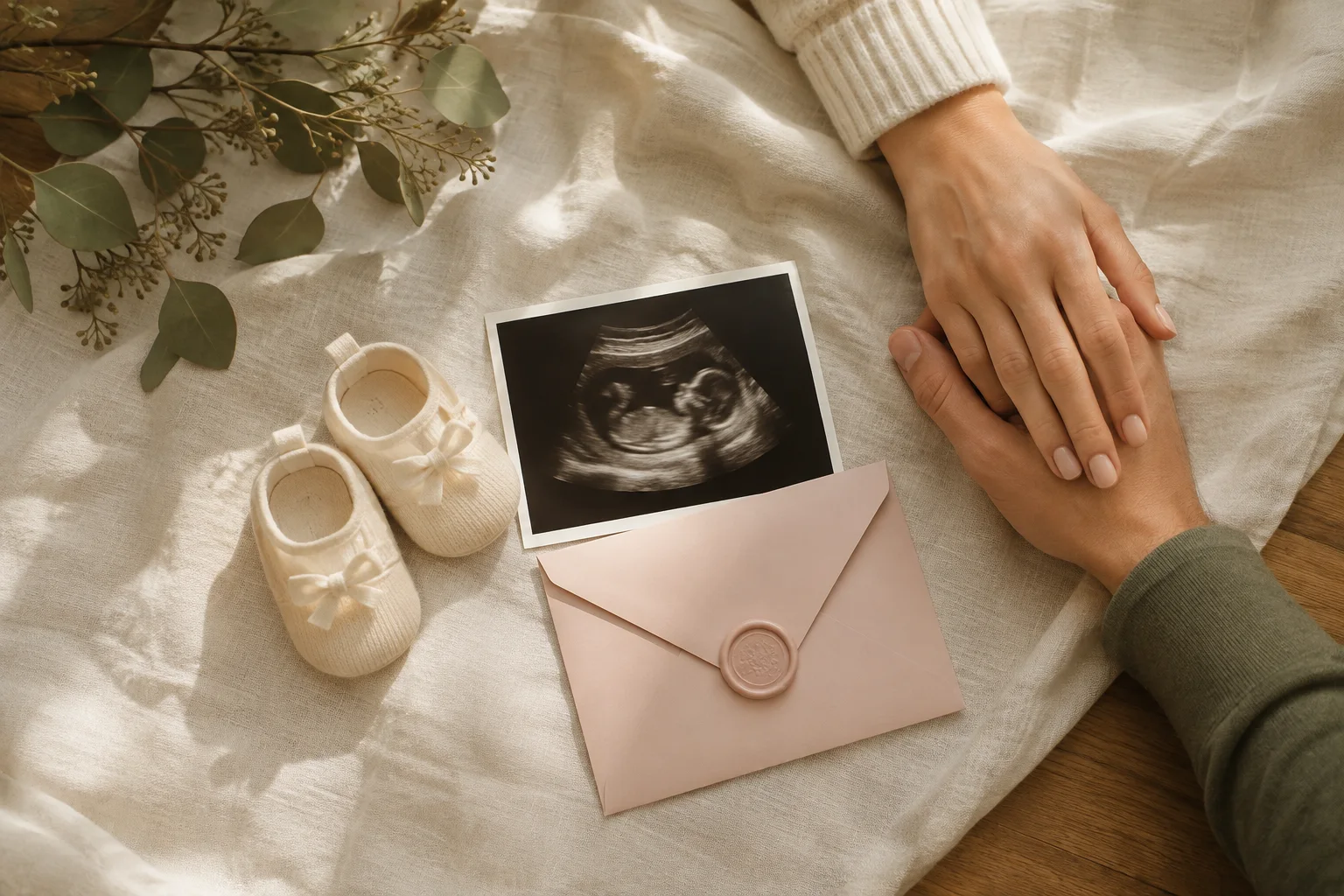
- Ultrasound in an envelope. Show only the image or keep it partly inside a neutral envelope. Check every edge for a clinic name, patient number, date or other medical information before photographing it.
- Calendar circle. Mark only the expected month, not an exact date, if you want a looser public timeline. Add shoes or a flower as the single supporting object.
- Handwritten note. Write the announcement in your own handwriting, photograph it straight overhead and keep the words large enough to read on a phone.
- Recipe card. Use a playful “recipe” with lines such as love, patience and one little arrival. Avoid putting private health details into the ingredients.
- Family heirloom. Place a small inherited blanket, book or toy beside a card explaining that it is ready for the next generation. The story makes the image specific to your family.
Parents, siblings and family
- Hands at the center. Photograph joined hands holding one pair of shoes. This works as a faceless announcement and needs no visible bump.
- Backlit silhouette. Stand side-on near a bright window or at sunset. Expose for the background and leave the outline simple; the caption can carry the announcement.
- Big-sibling sign. Let an older child hold a lightweight card while seated comfortably. Use one short phrase and accept their real expression instead of asking for a long performance.
- Family shoes in a row. Arrange each person's everyday footwear with one tiny pair at the end. Photograph from directly above and keep every pair parallel.
- Pet messenger, photographed separately. Take a calm portrait of the pet beside a sign, then share it as its own frame. Do not force a costume or interaction; the words can announce the new role.
Outdoor and seasonal ideas
- Path ahead. Photograph the parents walking away on a quiet path while holding tiny shoes behind them. Choose a safe, uncrowded location and keep the horizon level.
- Picnic for three. Use a blanket, two cups and one small place setting. Keep the setup low and simple so wind cannot turn props into clutter.
- Autumn leaf circle. Arrange dry leaves around a blank center, then add a month card. Photograph the flat lay before anyone steps into it.
- Winter stocking. Hang one smaller stocking between two existing ones. Use window light or steady lamps and switch off mixed-color overhead bulbs.
- Spring garden frame. Hold a plain announcement card in front of soft flowers. Focus on the card, then take a second portrait focused on the parents.
Private and faceless announcement ideas
- First initials only. Use the parents' initials plus a small question mark or heart. Share the full explanation only with the chosen audience.
- Hands opening a box. Photograph the moment tiny socks or a note are revealed without showing faces. A burst shot will catch the natural movement.
- Shadow on a wall. Make a two-person silhouette and hold the announcement card inside the lit area. This hides faces while still feeling human.
- One extra place at the table. Frame place settings from shoulder height, leaving names and addresses out of view. Add the news in the caption rather than printing it on every prop.
- Detail-only triptych. Combine three frames—shoes, joined hands and the month card—into one clean sequence. Use the same light and background for all three.
Long-distance and digital reveals
- Mailed puzzle. Photograph the completed message before mailing pieces to family. That gives you a keepsake even if the live reaction happens off camera.
- Video-call countdown. Ask everyone to open a message together, then take a screenshot only after receiving permission from everyone shown.
- Two-frame before and after. Begin with an ordinary couple portrait, then raise the announcement card for the second frame. The pair works well in a swipe post.
- Shared family recipe. Send a familiar recipe with one added line—“serves one more in [Month]”—and photograph the card as the cover image.
- Password-protected gallery. Put the announcement and a few personal frames in a private gallery, then send the link directly instead of posting publicly.
A 15-minute announcement photo plan
Choose one idea, one background and one message. Clear the edges of the frame, move beside the largest window and turn off warm ceiling lights. Take a test photo, check whether the words can be read at thumbnail size, then make these five versions:
- A wide horizontal frame with empty space on one side.
- A vertical frame for stories and phone screens.
- A square-safe frame with the message away from every edge.
- A close detail that contains no identifying information.
- One frame without text, so it remains useful as a print later.
Review sharpness and privacy before packing the setup away. If the headline is hard to read, move closer or simplify it; do not add several lines of tiny type. The palette ideas in our guide to colors that photograph well with skin also work for announcement cards and clothing.
When should you announce a pregnancy?
There is no universal correct week. Some people share immediately with the people they would want beside them in any outcome, some wait for a personal or medical milestone, and some keep the pregnancy private until much later. A photograph should follow that decision, not make it for you.
Avoid treating a particular week as a promise of safety or a social deadline. Consider whose support you want, whether work or family circumstances affect the order, and how you would feel if the image traveled beyond its first audience. You can make the photograph now and decide when—or whether—to send it later.
Privacy and consent before you post
Crop or cover names, clinic details, patient numbers, barcodes and precise dates on ultrasound printouts and appointment cards. Check mirrors, windows and metadata for location clues. If a partner, sibling, relative or video-call participant appears, agree on the final image and audience before publishing it.
The Australian Government's eSafety guidance for family photos recommends checking images for identifying details and choosing privacy settings deliberately. Our guide to sharing baby photos without oversharing applies to prenatal announcements too: a direct message, small group or printed card can be the complete announcement.
You can make a meaningful pregnancy announcement without publishing a face, full name, exact due date, location or medical document.
Where Totti fits—and where it does not
For a prenatal announcement, use a real photograph of the parents, bump, keepsake or chosen objects. Totti is designed for a later stage: it starts with an existing baby photo and applies a selected portrait template. It is not a pregnancy prediction or a substitute for a real ultrasound image.

Save the styled portrait for after the birth
Totti is free to download for iPhone, requires iOS 17.0 or later and offers more than 50 portrait templates with optional in-app purchases. After your baby arrives, start with a clear real photo, compare every generated result with the source, and export a keeper in HD at 2048×2560.
Get Totti on the App StoreThe simplest successful setup
Put tiny shoes beside one large, readable card in indirect window light. Take horizontal, vertical and square-safe versions, then send the image first to the people who should hear directly. A restrained photograph leaves room for the part that matters: how, when and with whom you choose to share the news.
