The best baby shower photos come from a short plan and one designated camera person: photograph the empty room first, greet every important guest with a quick portrait, capture reactions during two or three key activities, and finish with calm family groups before people leave. The 30-shot list below gives that helper a complete assignment without turning the shower into a production.
A baby shower documents the expectant parent's support network and the day itself. It is not the same job as a pregnancy announcement, which reveals the news to people who do not know it yet, or a birth announcement made after the baby arrives. Keep the event story centered on guests, relationships and details that will mean something later.
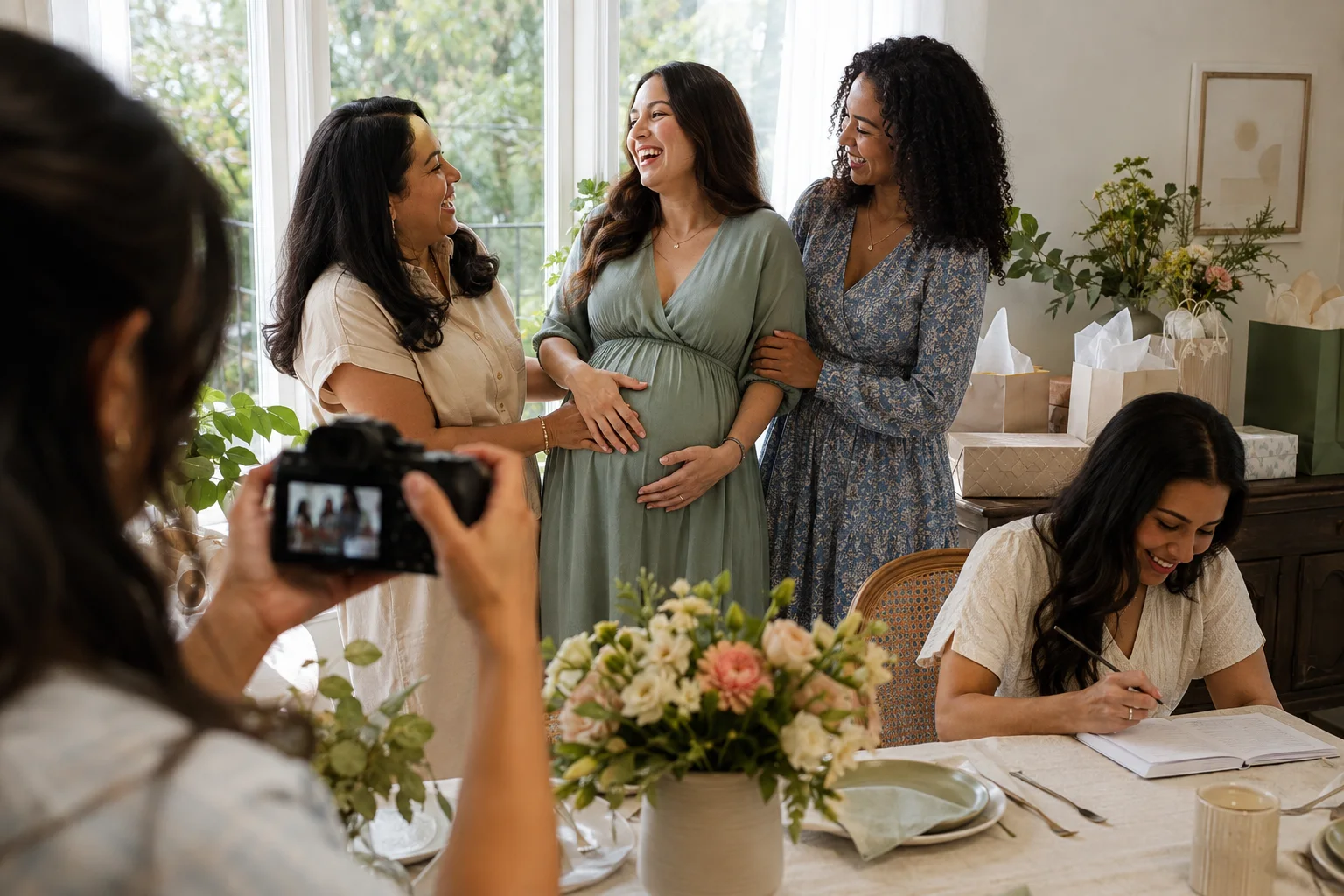
Set the photo timeline before guests arrive
Divide the camera job into five short windows. This prevents the photographer from chasing every conversation and gives the guest of honor predictable moments to be on camera. Move or drop a section if they need a break.
| When | What to photograph | Owner | Time needed |
|---|---|---|---|
| Before doors open | Room, food, handmade details and host | Detail photographer | 10 minutes |
| Guest arrivals | Greetings and quick pairs | People photographer | As guests enter |
| Activities | Wide context, hands and reactions | People photographer | Two short bursts |
| Family groups | Planned combinations in one location | One photographer, one caller | 10 minutes |
| After most guests leave | Hosts, cards and the quiet final scene | Detail photographer | 5 minutes |
The 30-shot baby shower photo list
Save this page or copy the numbered headings into a phone note. The photographer does not need every item in perfect order; the sequence simply follows the way most showers unfold.
Before the room fills
- The full room. Stand in a corner and make one horizontal frame that shows the space, seating and main decoration before bags and coats arrive.
- The welcome detail. Photograph the invitation, welcome sign or door decoration without including a home address, phone number or private event link.
- The food table. Make one wide frame and one close detail before guests serve themselves.
- The handmade element. Preserve the item someone spent time creating: a cake topper, knitted gift, family recipe or handwritten game cards.
- The host portrait. Photograph the person or group who prepared the shower while the room is still calm.
People arriving and reconnecting
- The guest of honor arriving. Capture the greeting from a respectful distance rather than blocking the doorway.
- The host welcome. Photograph the first natural conversation between the host and expectant parent.
- Each grandparent or close elder. Make a simple shoulder-to-shoulder portrait while everyone is fresh.
- Siblings and chosen family. Photograph relationships, not just formal family labels.
- Friends by chapter. Make quick groups such as childhood friends, work friends or a neighborhood circle.
- The other parent or partner. Take one posed frame and one candid interaction if they attend.
- The first wide candid. Step back and show the room becoming lively rather than isolating every guest.
Activities, stories and reactions
- The welcome or toast. Include the speaker and enough listeners to establish the moment.
- Hands writing advice or wishes. Focus on the action; collect a separate portrait only from guests who want one.
- A game in progress. Photograph one wide context frame instead of documenting every answer sheet.
- The genuine laugh. Keep the camera ready after the planned activity, when people relax and look at one another.
- A meaningful gift reaction. Check beforehand whether gift opening is meant to be photographed.
- The story behind a gift. Photograph the person explaining an heirloom, handmade item or family tradition.
- Remote guests on screen. With consent, include the device and the people interacting with it rather than photographing a private call unnoticed.
Details worth preserving
- The stack of cards. Photograph closed envelopes or card fronts so handwritten private messages stay unreadable.
- The book or keepsake station. Show how guests contributed, then photograph the finished object separately.
- One table setting. A single complete place records the theme better than ten near-identical decoration close-ups.
- The parent-to-be's chosen detail. Ask what matters most to them; it may be an outfit, family pin, flower or tiny pair of shoes.
- The practical help. Photograph someone serving food, carrying gifts or tidying up—the care around the event is part of its story.
Family groups and the ending
- All immediate family. Seat anyone who needs a chair first, then build the group around them.
- Grandparents with the expectant parent. Take one camera-facing portrait and one frame of them talking.
- The hosts with the guest of honor. This is easy to miss because hosts are usually working.
- One full-group frame. Attempt it once while most people are present; do not keep everyone waiting for repeated perfection.
- The goodbye embrace. Photograph a few natural departures without standing in the path or delaying anyone.
- The quiet final scene. Make one honest image of the expectant parent or hosts after the room settles—tired, happy and surrounded by evidence of the day.
Delegate three small jobs, not one enormous job
Ask one reliable guest to photograph people, one to capture details during natural pauses, and one to call names for the planned family groups. A single person can fill two roles at a small shower, but the guest of honor should not manage the camera, collect everyone's uploads and direct the group portrait at once.
Give the people photographer the five must-have relationships, not a vague instruction to “get everyone.” Give the detail photographer five objects with a story. Ask the group caller to check names and mobility needs before lining people up. When ownership is specific, the day produces fewer duplicate cake photos and more pictures of people who matter.
Make the guest of honor comfortable on camera
Agree on three things before the event: whether bump close-ups are wanted, whether gift-opening reactions may be photographed, and whether images may be shared beyond the private gallery. Do not treat attendance as blanket consent. Guests may be happy to join one group portrait while preferring not to appear in a public post.
Prepare a comfortable chair near the best light so relatives can come to the expectant parent for quick pairs. This reduces standing and keeps the visual background consistent. Avoid asking for repeated twists, floor sitting or long sessions. If the guest of honor asks for the camera to stop, stop; the shot list is optional.
Use a simple phone-camera setup
- Clean the lens. Fingerprints create haze that looks like poor focus.
- Choose window light. Place group portraits facing or angled toward a bright window, not directly in front of it.
- Use the regular lens. The 1× camera avoids the edge stretching that makes people in an ultra-wide group look distorted.
- Step back for context. Take one wide frame, then move closer for reactions and hands.
- Use burst sparingly. A short burst helps during a laugh or reveal, but hundreds of near-identical files make the handoff harder.
- Take vertical and horizontal versions. Vertical suits phone sharing; horizontal works well in albums and on screens.
Assign one phone as the main camera when possible. AirDrop, messaging compression and screenshots can create a mix of file sizes and dates later. The article on organizing baby photos offers a simple favorites-and-backup system that works for event galleries too.
Get the group photo without exhausting everyone
Choose one clean background and leave the camera in the same position. Seat elders, children and anyone with mobility needs first. Add the guest of honor, then build each combination by swapping only a few people. The caller reads the order while the photographer watches expressions and edges. Make two frames per group, thank them, and move on.
Do not ask children to hold props, balloons or signs just to keep them still. Let a caregiver stand beside them or skip that combination. If an older child appears, include a candid with their favorite adult as well as the formal group; it gives them a relationship rather than a decorative role.
Use a private gallery by default
Before creating a shared album or QR code, decide who may view, download and add images. A code displayed in a venue can be photographed by anyone who passes it. Prefer an invitation-only album sent after the event, remove access when the collection period ends, and avoid putting guest names, addresses or the event's live location in filenames and captions.
Phone photos can contain location metadata. Apple explains how to turn off Location in the share sheet and remove stored coordinates in its official photo location-metadata guidance. Removing GPS is useful, but it does not hide a street sign, invitation address, school logo or recognizable home exterior. Review the pixels as well as the file data.
Let the expectant parent approve any public selection first. The birth announcement etiquette guide explains why receiving a family photo does not automatically include permission to repost it, a boundary that applies just as strongly before birth.
What Totti can and cannot do with shower photos
Totti is designed for an individual baby photo after birth. It does not create maternity portraits, preserve a baby shower's real group interactions, or turn an event gallery into a pregnancy announcement. Keep the shower photos documentary: the actual room, guests and reactions are the value.
After the baby arrives, Totti can restyle one clear solo baby snapshot into an individual studio-style portrait using more than 50 templates. It is free to download for iPhone, requires iOS 17.0 or later, and exports HD portraits at 2048×2560. Compare any generated result with the source before using it in a later announcement or keepsake.

Keep the shower real; style a baby portrait later
Document the people at the shower with your camera. After birth, Totti can transform one clear baby snapshot into an individual studio-style portrait. Free to download for iPhone; optional in-app purchases.
Get Totti on the App Store