Commercial disclosure: Totti publishes this guide. On October 18, 2026, we checked the current U.S. Totti App Store listing, which describes 50+ baby portrait templates and a free download with in-app purchases. We also reviewed a current first-party interface screenshot showing template selection without a written prompt field at that step. A screenshot cannot prove that every screen or future version works without one. The workflow notes below do not promise identical output, speed or facial preservation for every photo. All product names and trademarks belong to their respective owners; this comparison does not imply affiliation, sponsorship or endorsement.
Short answer: an AI baby photo generator can work without written prompts by letting you choose a prepared visual template—such as a studio, outdoor, seasonal, outfit or milestone scene. You still choose the source photo and review the result. Use a prompt-based editor instead when you need one precise, limited change.
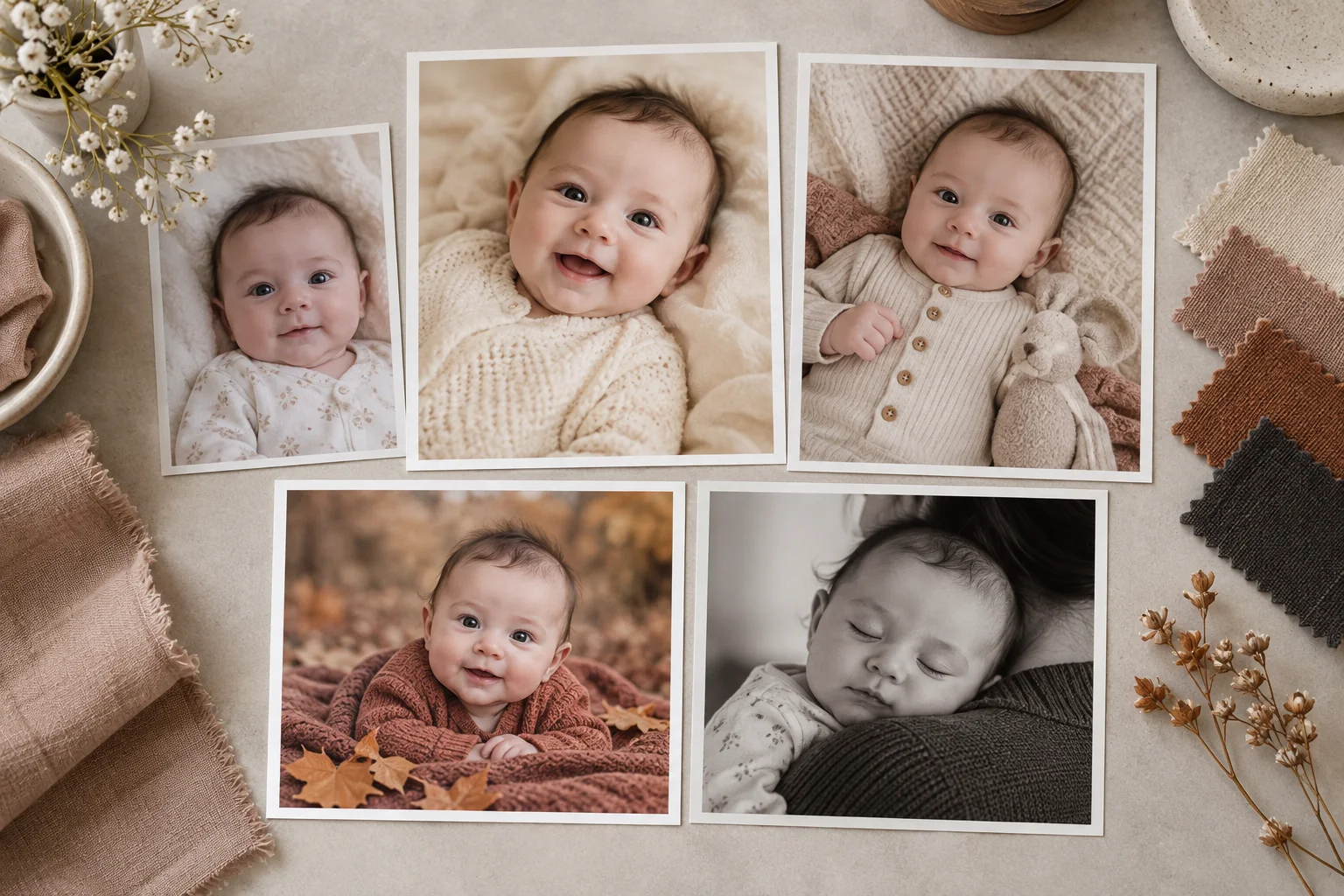
What is the difference between a template and a prompt?
| Question | Template workflow | Prompt workflow |
|---|---|---|
| How do you describe the result? | Choose a visual example or named style | Write the requested changes in words |
| What is easiest? | Starting quickly with a complete scene direction | Specifying one narrow correction or constraint |
| What control do you trade? | Less control over individual scene details | More wording control, but interpretation can vary |
| What must stay human? | Source choice, identity review and sharing decision | Source choice, wording, identity review and sharing decision |
| Best example | “Use this cozy newborn portrait concept” | “Reduce the yellow cast; do not change the face, hands or background” |
A template is not a secret prompt that guarantees one fixed result. It is a prepared creative direction. The model still interprets the uploaded photo, and different sources can lead to different outputs. A written prompt is not guaranteed control either; it gives instructions that a model may follow imperfectly.
How did we define a “without prompts” workflow?
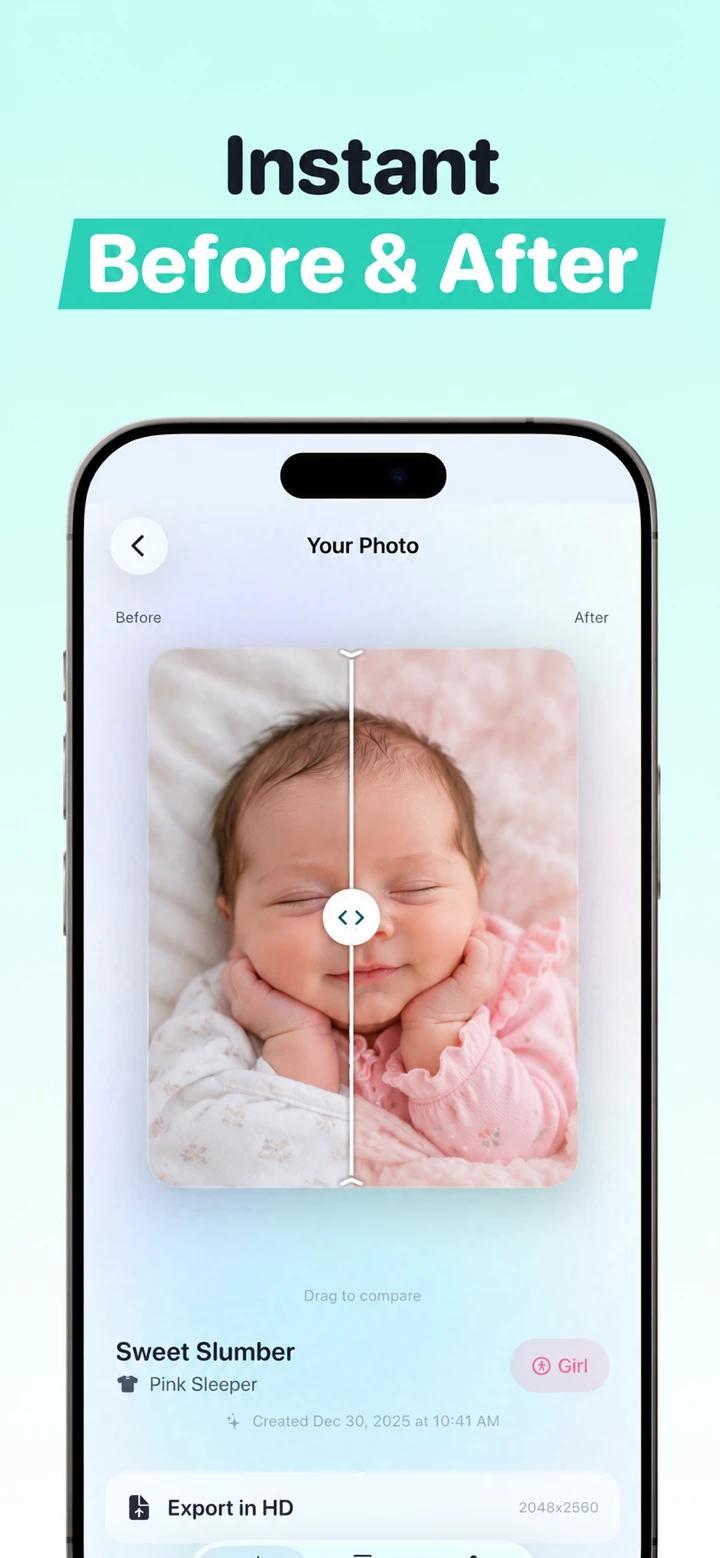
We use “without prompts” narrowly: at the template-selection step shown in Totti's current first-party interface screenshot, the user chooses a visual template and no written prompt field is visible. The user still selects a real source photo and evaluates output. This observation is limited to that screen and version; we do not claim that every app state or future release omits written input, or use the phrase to imply zero effort, guaranteed results or automatic safety.
We separated four stages that are often blurred together: instruction, generation, review and publishing. A template simplifies only the instruction stage. Generation may still alter identity or anatomy. Review remains essential. Publishing remains a human decision about accuracy, consent, privacy and disclosure.
This guide owns template-versus-prompt search intent. If your actual goal is to write detailed constraints for background, color or cleanup, go directly to our baby photo editing prompts with source/result examples. That guide documents a dated testing method and shows where precise language is useful.
How do you generate a baby portrait without writing a prompt?
- Choose a clear original. Use a full-resolution image with one visible face, soft light, ordinary safe support and room around the subject.
- Remove private clues. Do not submit hospital bands, medical forms, addresses, school logos or identity documents.
- Open the template catalog. Look for a scene close to the source angle and pose. A closer match asks the generator to invent less.
- Select one direction. Start with a single studio, outdoor, seasonal, outfit or milestone concept instead of changing everything at once.
- Generate a result. Treat the result as a draft, not a verified photograph.
- Compare beside the source. Inspect face, anatomy, clothing edges, support, shadows and background logic at full size.
- Keep, retry or stop. Reject any unfamiliar identity or unsafe-looking pose. Sometimes the untouched photo is the best result.
- Disclose material changes. If viewers could think the setting, outfit or event was real, say that it was generated.
When is a no-prompt template better than writing instructions?
Do templates help when you do not know photography terms?
Yes. A visual choice can communicate “cozy,” “outdoor” or “classic studio” without requiring terms for lens, depth of field, light direction or fabric. This lowers the language barrier and keeps the first decision concrete. Totti's current listing describes templates across those visual categories.
Do templates help with decision fatigue?
They can. A blank prompt field has nearly unlimited possibilities; a catalog provides bounded choices. That is useful when a parent wants a finished concept rather than a long creative-writing exercise. The tradeoff is that the template defines more of the scene than a carefully constrained edit would.
Do templates make repeated milestone images easier?
A consistent category can help a monthly series feel related. Still, do not assume generation will preserve framing or identity perfectly across months. Keep the original monthly photos and use real text for the age. The milestone app comparison includes non-generative sticker and layout options when consistency matters more than scene transformation.
Do templates eliminate prompt mistakes?
They eliminate confusing wording, not generation mistakes. A template cannot know which skin mark is distinctive, which adult hand supplies real support or which outfit carries family meaning. Human review remains the quality gate.
When is a written prompt the better workflow?
Use a prompt when you can state the desired change narrowly and the unchanged areas explicitly. Examples include reducing a yellow color cast, softening a distracting background while preserving the baby's face, or removing one object from empty background. A precise prompt can make the boundary of the edit clearer.
A prompt also fits when none of the available templates matches the source. Forcing a side-profile photo into a front-facing concept may require extensive invention. A restrained request that preserves pose and composition can be more faithful than choosing a visually exciting but structurally distant template.
Written instructions are better for negative constraints: “Do not change the baby's facial features, hands, feet, clothing or supporting adult hand.” Those words do not guarantee compliance, but they make the desired boundary explicit and give you a review checklist.
See the prompt guide for original source/result examples, jump links and the dated testing method. It is the alternate workflow to this page, not a competing claim that prompts are always better.
Which source photo works best with a template?
The most useful source leaves little for the model to guess: one clearly visible baby, natural or soft light, readable eye or eyelash detail, no motion blur, an ordinary supported pose and space around the head and body. Use the original camera file rather than a screenshot from a message thread.
Choose a template that roughly agrees with the source. A lying baby fits a lying portrait more naturally than a template built around sitting. A profile supplies less information for a front-facing reconstruction. Covered hands, clipped feet and deep shadows create additional uncertainty.
The technically sharpest image is not automatically the right upload. Privacy comes first. Crop out documents, envelopes, addresses, hospital bands and identifying signs. Confirm that you have authority to use the image and any consent required by applicable law, court orders, agreements and platform terms. Our 12-point source-photo checklist covers the selection process in detail.
How should you review a template-generated result?
| Review area | What to compare | Reason to reject |
|---|---|---|
| Identity | Eyes, nose, mouth, ears, hairline and distinctive marks | The baby looks like a different person |
| Anatomy | Fingers, toes and limb connections | Missing, duplicated or fused anatomy |
| Support | Adult hands, cushions and body position | The result depicts an unsafe or physically impossible pose |
| Edges | Hair, cheeks, fabric and props | Melting, halos, repetition or floating objects |
| Truthfulness | What was photographed versus generated | The image could falsely imply a real session, outfit or event |
Do not let an attractive background override an identity problem. “Almost right” is not a family-memory standard. Save the generated image as a separate file and keep the source unchanged.
What privacy check belongs before template selection?
Open the current App Privacy section and linked privacy policy before uploading. Totti's developer-reported label said “Data Not Collected” when checked October 18, 2026. Apple says this information has not been verified. The label does not prove that image processing happens on the device and does not replace questions about processing location, retention, model training, service providers and deletion.
Important Totti disclosure: The App Store label and Totti's linked developer privacy policy do not currently align cleanly. The policy separately says baby photos and selected milestone text are processed by Replicate; profiles can include names, birth dates and milestones; optional Apple cloud backup can include profiles and images; and service-provider retention can extend beyond generation. Do not rely on the label alone. Review both live disclosures before uploading. This article does not determine which App Store privacy categories should apply.
Our AI baby photo app privacy-label guide compares several current listings without declaring a “most private” app. Use it to understand tracking, linked data, not-linked data and the limits of every label.

Choose a visual direction at the observed template step
Totti is free to download for iPhone and includes optional in-app purchases. Its current first-party screenshot shows template selection without a written prompt field at that step. Select an existing baby photo, choose a listed portrait template and review the generated result against the original.
View Totti on the App StoreWhat is the bottom line?
A no-prompt generator is a template interface, not an automatic truth machine. It is useful when you want a complete visual concept without learning prompt syntax. A written prompt is better when the desired change is narrow and the protected details can be named. In either workflow, source choice, consent, privacy review, identity checking and honest disclosure remain human responsibilities.
