Commercial disclosure: This comparison is published by Totti, which means we have a commercial interest in one product discussed. Totsie did not sponsor or review the page. We checked the official U.S. App Store listings on October 18, 2026. We did not install Totsie or compare speed, stability, export quality, or image quality. All present-tense competitor claims below are attributed to its listing. All product names and trademarks belong to their respective owners; this comparison does not imply affiliation, sponsorship or endorsement.
Short answer: Totti is the more direct choice for generating themed baby portraits with new settings and virtual outfits. Totsie is the more direct choice for adding stickers, custom text, filters, and comparison collages while saving creations in its described time capsule. Choose by whether you want transformation or documentation.
These apps can both produce polished keepsakes, but they start from different creative decisions. A fair comparison should not reduce them to a feature count: it should ask what you want to remain unchanged in the source photo.
How do Totti and Totsie differ at a glance?
| Decision | Totti | Totsie |
|---|---|---|
| Primary documented workflow | Generate a themed portrait from an existing baby photo | Decorate a pregnancy or baby photo with stickers, text, filters, or a collage |
| Listed creative tools | 50+ scene templates, milestone cards, seasonal themes, virtual outfits | 1,000+ stickers, custom text, fonts, collages, filters, and a time capsule |
| Best listing-based fit | A coordinated series of imaginative portrait scenes | A chronological milestone record using the captured photos |
| Install offer | Free to download; in-app purchases | Free to download; in-app purchases |
| Official evidence | U.S. App Store listing | U.S. App Store listing |
Compatibility checked October 18, 2026: Totti is listed for iPhone and requires iOS 17.0 or later. Totsie supports iPhone and iPad and requires iOS 26.0 or later on iPhone or iPadOS 26.0 or later on iPad. Compatibility can change, so confirm the live listing on the device you plan to use.
Pricing caveat: Both listings showed a free download with in-app purchases on October 18, 2026. “Free” is not a promise that every sticker, generation, export, or storage feature is included. Totsie’s listing also described auto-renewing subscription terms. Offers can change, so read the current listing, trial conditions, renewal language, and confirmation sheet before purchasing.
What was included in the methodology?
We compared what each developer says the app does, the audience named in the description, the purchase indicator, and the developer-reported App Privacy label. We grouped features by task rather than awarding points: scene generation, exact text, decorative artwork, comparison layouts, storage, and sharing. This avoids pretending that a sticker library and a portrait generator solve the same problem.
We excluded ratings, user testimonials, developer awards, and promotional superlatives from our verdict. We did not reproduce claims such as “best” as facts. We also did not infer output accuracy from screenshots. A real test would need permissioned source photos, the same device and conditions, a written scoring rubric, and repeat generations. That hands-on work was not performed for this page.
Which app better fits a themed AI photoshoot?
Totti’s official listing is framed around that specific job. It describes transforming a smartphone photo into scenes such as cozy blanket arrangements, gardens, studio portraits, and seasonal settings. It also describes virtual outfits coordinated with scenes and milestone cards for newborn, weekly, monthly, and yearly moments.
That does not mean a generated portrait is a faithful documentary record. AI may modify facial proportions, hands, hair, clothing edges, or nearby objects. Preserve the original, avoid unsafe physical posing to imitate a generated scene, and describe the result as AI-generated when sharing it. A conservative source is an ordinarily supported baby in a simple snapshot—not a recreated composite pose.
Totsie’s listing does not position the app as the same kind of full-scene portrait generator. It centers on stickers, text, collages, filters, and keeping photos in a time capsule. If your prompt is “put this snapshot into an entirely new studio setup,” Totti’s documented workflow is closer.
Which app better fits a factual milestone record?
Totsie is the clearer match. Its listing says parents can add hand-crafted stickers, select fonts, write custom text, apply filters, make comparison collages, and save pictures to a private time capsule. Those tools suit a week-by-week bump series, a monthly baby growth grid, or side-by-side comparisons where the source moment stays recognizable.
Comparison collages are especially useful because change becomes the story. Use the same crop or chair each month, then add a modest label outside the face. A new background may look more polished, but it can remove the environmental details that make the timeline personal. Our monthly baby picture guide includes repeatable setups that need little editing.
Where does Totsie have the more directly documented fit?
Totsie has the more directly documented fit for milestone stickers, typography, comparison collages, filters, and a private time capsule. Totti’s listing does not claim an equivalent 1,000-plus sticker library, a text-focused editor, or a dedicated comparison-collage tool. If those are the features you came to find, Totsie is the better-supported recommendation from the available listing evidence.
It also has the more directly documented fit for pregnancy-photo documentation because pregnancy is central to its description. Totti focuses on photos of an existing baby. Parents building one continuous timeline from bump photos to baby milestones may find Totsie’s stated scope more aligned with the full journey.
Where does Totti have the stronger fit?
Totti has the stronger fit when you want an imaginative portrait collection rather than layers placed over the original scene. It narrows the creation process to choosing a theme or outfit concept and generating a transformed result. That can be more direct for parents who have a clean phone photo but not a decorative set, seasonal costume, or studio background.
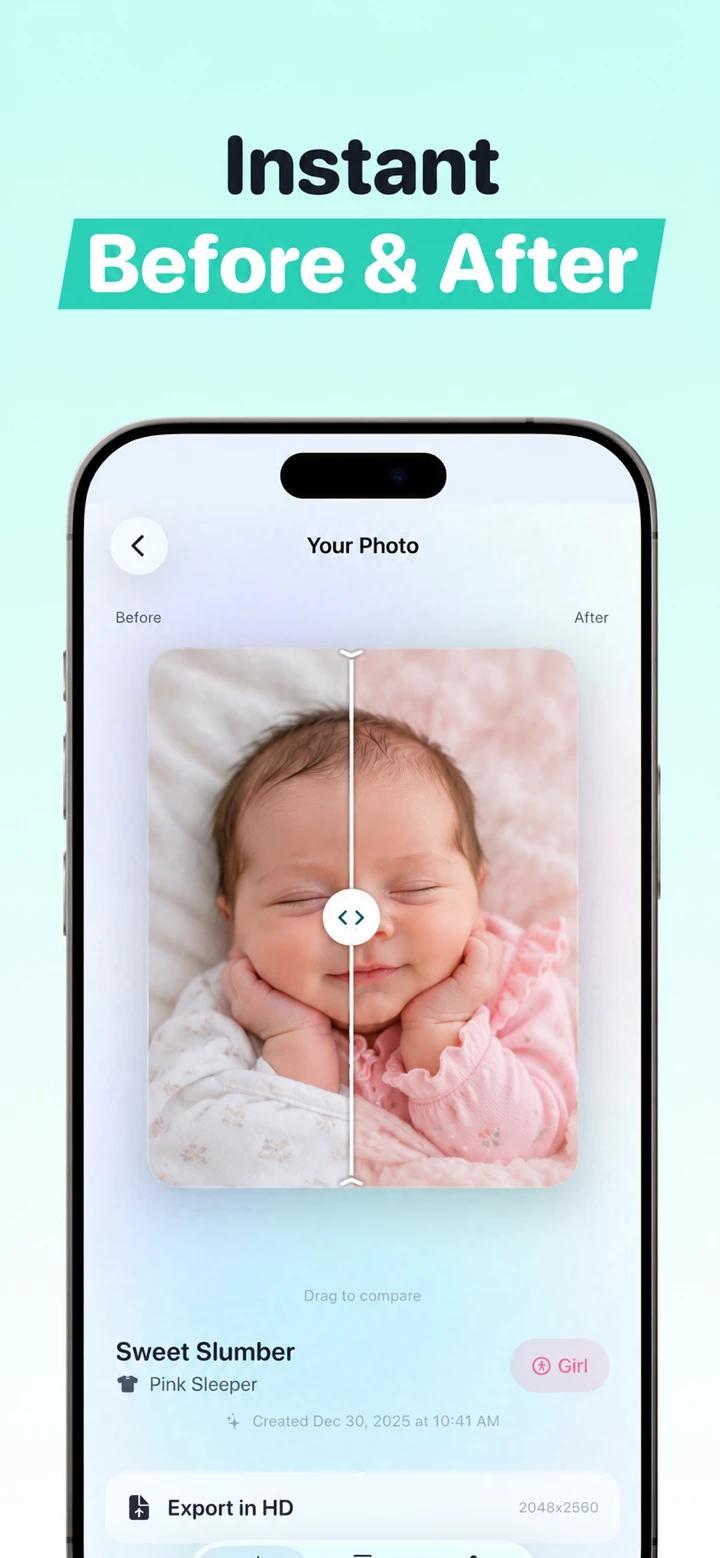
Review every generated image at full size before calling it a keepsake. Compare eye shape, hairline, fingers, ears, mouth, skin markings, outfit seams, and edges where the subject meets the background. The goal is not to certify realism; it is to notice obvious changes and choose whether the creative result still feels appropriate.
Can the apps be used together?
Yes, but a simple workflow is usually better than stacking several transformations. You could generate one Totti portrait, then place the exported image beside the untouched monthly source in a collage. Alternatively, use Totsie to label only the original. Avoid repeatedly applying filters and AI generation to the same file, because each pass can reduce fidelity and make it harder to trace the source.
Keep a folder with three clearly named files: untouched source, edited result, and final share copy. Do not overwrite the original. For print, inspect the final dimensions and crop before ordering. For a private archive, include a brief note that identifies which image is AI-generated.
How should you read the privacy labels?
Apple’s App Privacy panels are developer-reported, and Apple states that the information has not been verified by Apple. On October 18, 2026, Totsie’s label reported identifiers that may be used to track users, identifiers linked to users for advertising or marketing, and diagnostics not linked to users. Totti’s label reported “Data Not Collected.” These summaries may vary by feature and age, and they are not independent security audits.
Important Totti disclosure: The App Store label and Totti’s linked developer privacy policy do not currently align cleanly. The policy separately says baby photos and selected milestone text are processed by Replicate; profiles can include names, birth dates and milestones; optional Apple cloud backup can include profiles and images; and service-provider retention can extend beyond generation. Do not rely on the label alone. Review both live disclosures before uploading. This article does not determine which App Store privacy categories should apply.
Read each current privacy policy, especially any sections on photo processing, retention, sharing, analytics, deletion, and vendors. Use an image you have the authority to upload. Keep names, school information, home details, medical documents, and full birth information out of public designs. If a family member took the source photo, get permission before using it in a transformed keepsake.
What is the simplest decision rule?
- Choose Totti if your desired output is a baby portrait in a new studio-like, seasonal, or milestone scene.
- Choose Totsie if your desired output keeps the captured scene and adds labels, stickers, fonts, filters, or comparison layouts.
- Choose Totsie if pregnancy photos and a pregnancy-to-baby timeline are central to the project.
- Keep the original regardless because neither decoration nor generation should replace the family’s source record.
For nearby choices, see Totti vs Baby Pics for another milestone editor, Totti vs LittleCam for backgrounds and frames, and Totti vs NewPic for two AI-first newborn workflows. Our broader milestone app roundup compares tools by the keepsake they produce.

Try a generated portrait workflow
Totti is free to download with optional in-app purchases. Use a clear, permissioned photo, choose a theme, and compare the output with the untouched source before saving.
View Totti on the App Store