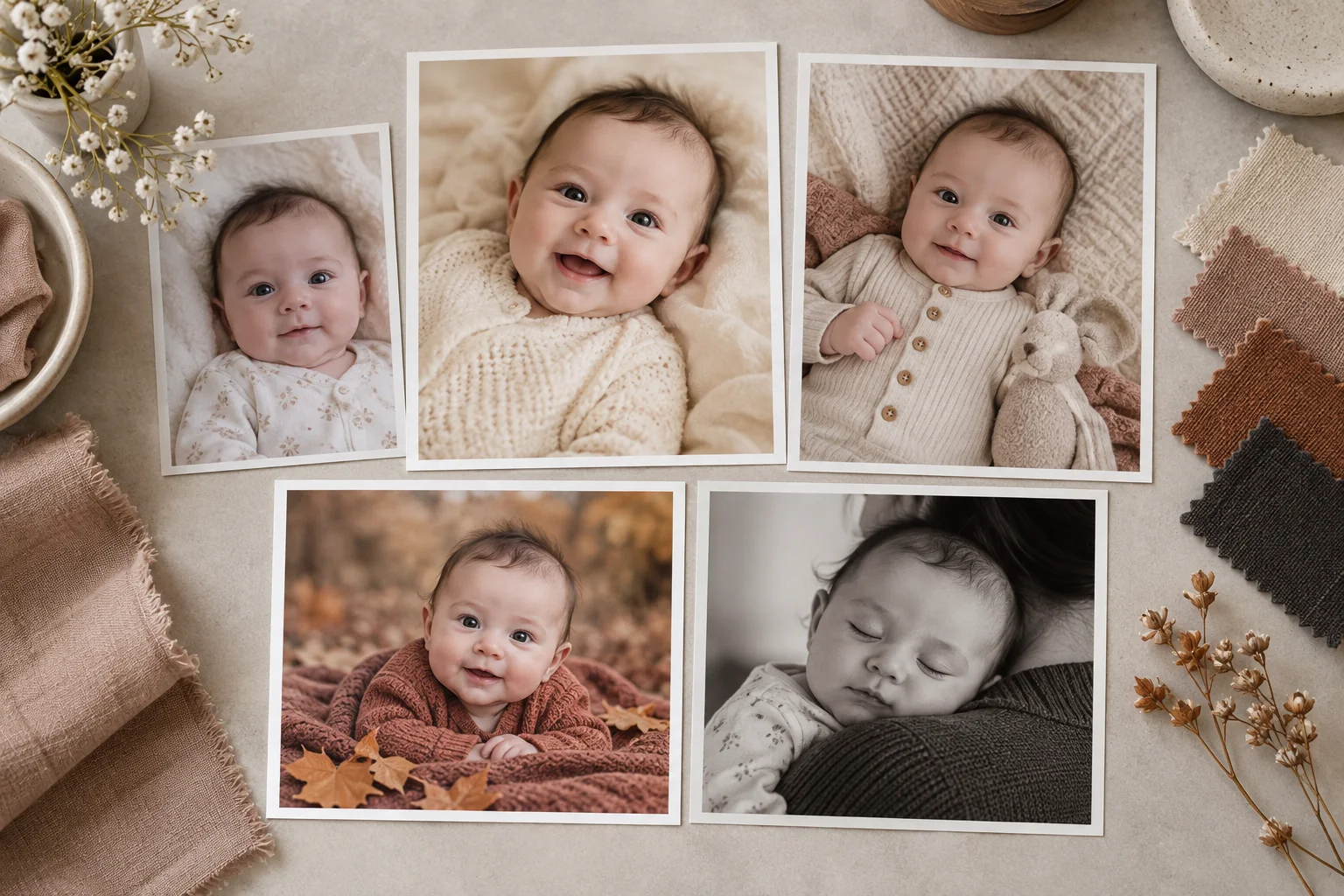
The most useful AI baby photoshoot ideas begin with a real memory and change one visual direction at a time. A plain cream studio, a monthly plaque or a distant autumn background is easier to review than a scene that simultaneously changes pose, outfit, camera angle, expression and props.
The 25 concepts below are starting points for a generated keepsake—not instructions for posing a real newborn. Use an ordinary, safely supported source photo, keep the untouched original and disclose a material generated setting when someone could mistake it for a real session.
Before choosing an idea
Pick a clear source with the face in focus, gentle light and space around the baby. Do not use a photo containing an identity band, medical document, school detail or address. Our 12-point source-photo checklist takes less than a minute and prevents most avoidable input problems.
Match the concept to the source when possible. A baby photographed from above is a natural fit for a simple blanket or milestone layout. A securely held portrait is a better fit for a parent-and-baby background than a generated basket pose.
Simple studio ideas
- Warm cream seamless. Replace only the distant room with a quiet cream backdrop and one soft side-light direction. Keep the real outfit and pose.
- Pale blue paper set. Use a matte blue background with a believable contact shadow. It works best when the source already has cool, even light.
- Muted blush portrait. Choose dusty pink rather than saturated candy color, and protect natural skin variation from becoming uniformly rosy.
- Charcoal fine-art look. A dark cloth background can make pale clothing stand out. Keep shadow detail in hair and the side of the face.
- Oatmeal linen. A lightly textured neutral background feels softer than a perfectly smooth digital wall. Check that fabric texture does not repeat across skin.
- Window-light room. Create the impression of a calm room with indirect daylight, not visible direct sun. Keep the new light direction consistent with the source.
- Black-and-white portrait. Remove color without crushing the eyes, hair and blanket into solid black. This is often better done in a conventional editor if the setting does not need to change.
Milestone and growth ideas
- Hello World portrait. Leave room for a simple plaque or add the exact wording later with a normal text tool. Never trust generated names or dates without checking each character.
- One-week keepsake. Use a restrained “one week” layout and a neutral background. Skip birth weight and location in public versions.
- One-month portrait. Build a repeatable square or vertical layout you can reuse at months two through twelve.
- First smile theme. Let the expression remain the event. Use a simple bright background rather than asking a model to invent a smile.
- First roll or tummy-time card. Start with a real awake, supervised tummy-time photo. Do not generate a developmental achievement that did not happen.
- Six-month sitting portrait. Use a source in which the baby is already sitting safely with appropriate support. Our six-month photo ideas cover real floor-level setups.
- First birthday frame. Add a restrained celebratory background but keep balloons, strings, food and tiny props digital and clearly outside the baby's reach.
Seasonal ideas without risky props
- Spring garden colors. Use softly blurred greens and blush tones with flowers in the distance rather than around the baby's hands.
- Summer linen. Pair a light neutral textile with sky-blue color in the background. Avoid placing a real newborn in direct sun for the source photo.
- Autumn amber. Add distant leaves and warm color while keeping the baby's skin balanced. You do not need a pile of real leaves or pumpkins around the baby.
- Winter window. Create cool outdoor tones beyond a window while preserving warm, natural indoor skin color.
- First Christmas portrait. Use a softly lit evergreen background without cords, hot lights, glass ornaments or tinsel near the baby. More safe concepts appear in our Christmas baby photoshoot guide.
- Friendly Halloween night. Choose illustrated stars and a crescent moon rather than a mask, face paint or costume hood that changes the face.
- Gentle Easter palette. Pastel shapes can suggest the season without live animals, small eggs or loose basket filler.
Family and sharing ideas
- Parent-held studio portrait. Preserve the real secure hold and every supporting hand. Simplify only the room behind both people.
- Sibling introduction card. Use a real photo of both children together; do not merge separate faces or change physical contact. Add verified wording afterward.
- Grandparent gift print. Choose a calm neutral transformation that will still feel current after seasonal decorations come down. Check print resolution before ordering.
- Birth announcement layout. Reserve blank space for the baby's name and details. Add text later, and keep the public version free of medical or location information.
If an idea depends on pretending the baby physically performed a risky pose, choose a different idea. A generated setting should reduce the need for elaborate staging—not encourage it.
How to choose a style in Totti
Totti uses a guided template catalog rather than asking you to write a long prompt. The visible categories in the current app include Classic, Cozy and Outdoor. Browse for a direction that roughly fits the source angle, then treat the result as a new portrait rather than a factual record of a physical session.
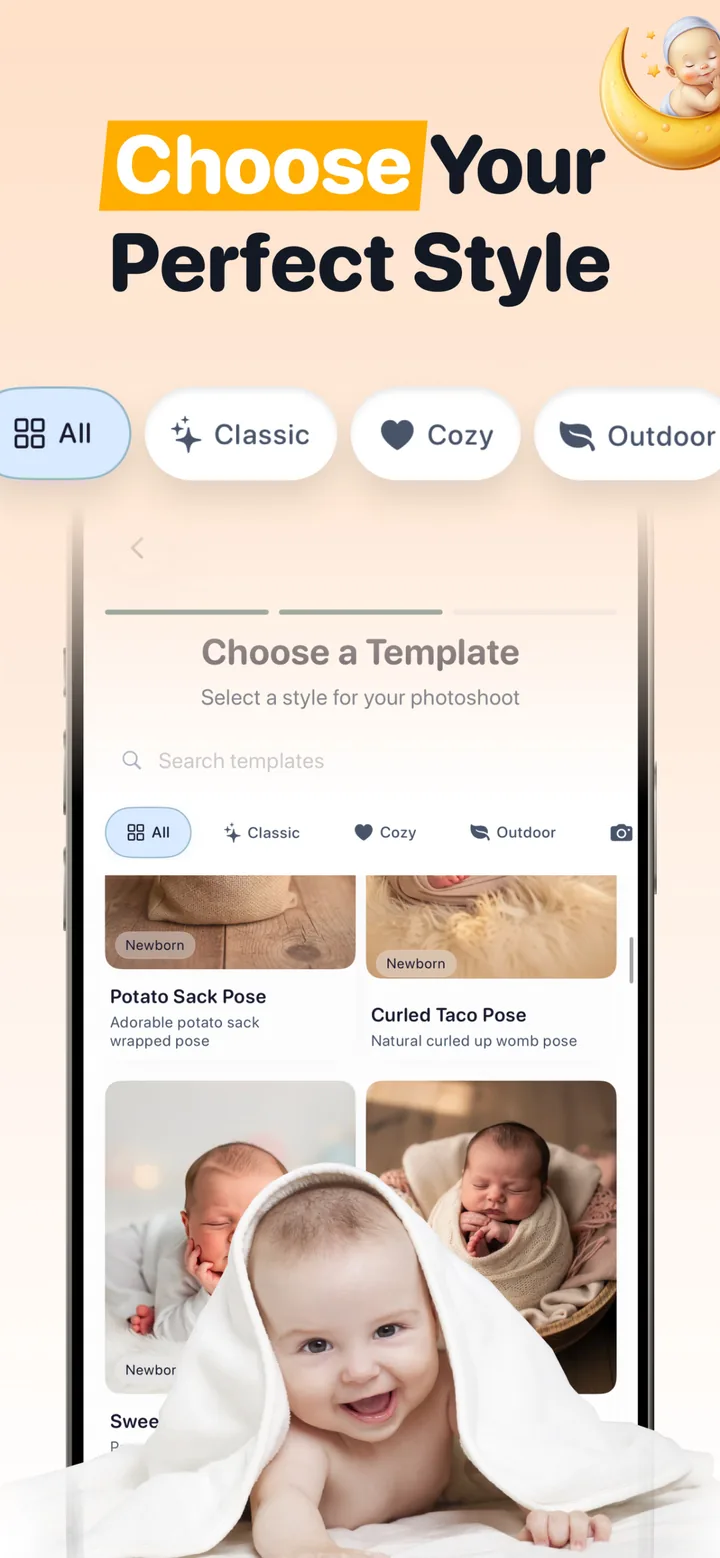
The free AI baby photo generator guide explains the current free path and how premium items are identified before selection. Optional purchases and available templates can change, so rely on the current in-app labels.

Turn one clear photo into a new visual theme
Free to download; optional in-app purchases. Select a portrait template, compare the result with the source and reject any version that changes important identity details.
View Totti on the App StoreReview every generated portrait in four passes
- Identity pass: face shape, eyes, nose, mouth, ears, hairline, expression and marks.
- Anatomy pass: fingers, toes, wrists, ankles, body connections and support points.
- Scene pass: light direction, surface contact, repeated patterns, floating objects and edges.
- Truth pass: decide whether the caption should say “AI-styled,” especially for a setting, outfit, milestone or event that did not physically happen.
For a close look at real source/result reasoning, see the AI newborn before-and-after review. If you prefer writing your own instructions, the editing prompt guide includes protected-detail language and tested synthetic examples.
What not to generate
Do not use an AI portrait as a passport, visa, school ID, medical record or evidence of a real event. Avoid humiliating, sexualized or adult-themed depictions. Do not upload a child's image without the parent or guardian's permission, and check the provider's current rules for storage, retention, deletion, model training and third parties before you begin.
