A good six-month baby photoshoot can be remarkably simple: a clear patch of floor, soft window light, one familiar adult and ten unhurried minutes. Photograph what your baby already enjoys—tummy time, reaching, laughing or sitting with ordinary support—instead of arranging them into a pose they cannot hold.
The easiest plan is five floor-level pictures, five interaction pictures and five close details. You will come away with variety without building a miniature studio or asking your baby to perform on schedule.
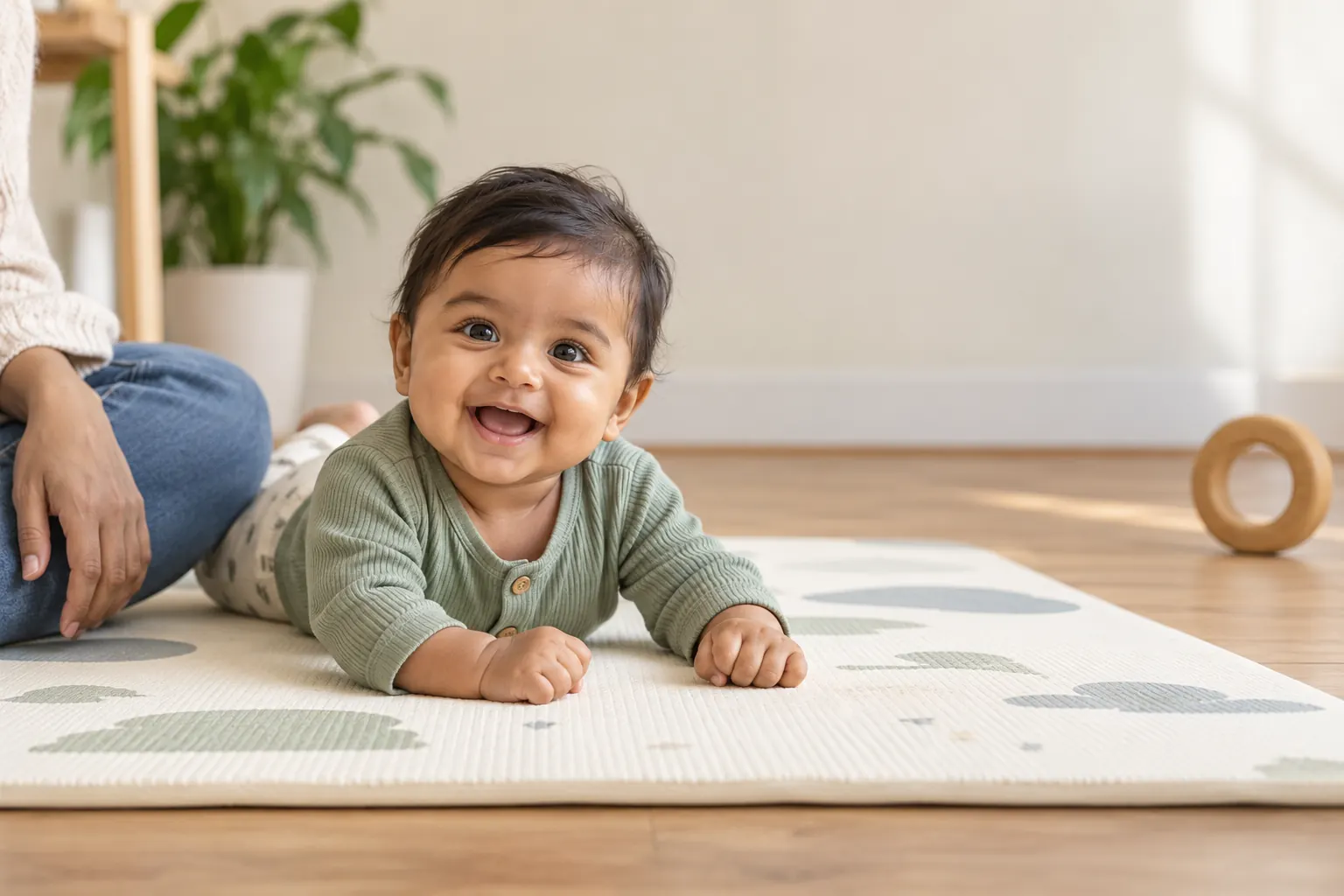
Before the ideas: follow your baby, not the calendar
“Six months” describes an age, not a required list of poses. The CDC defines milestones as skills that most children—75% or more—can do by a given age. Its current six-month milestone guidance includes rolling from tummy to back, pushing up on straight arms and leaning on the hands while sitting. That does not mean every six-month-old will do all three during a photo session, or on the same timeline.
Start from your baby's comfortable position today. If they were born prematurely, use the age guidance given by their clinician. If you have a developmental concern, a photo checklist is not an assessment; talk with your child's health professional.
Five floor-level six-month photos
1. The tummy-time look-up
Lay a firm play mat on the floor and place yourself flat on your stomach, camera at the baby's eye level. Ask another familiar adult to sit beside the mat and talk from just above the lens. An upward glance, a serious stare and a grin can arrive within seconds of one another. Tummy time should be awake and actively supervised; the American Academy of Pediatrics reinforces that in its safe-sleep guidance for parents.
2. Hands under the chin—without placing them there
From the same setup, move closer and wait for the baby's hands to enter the frame naturally. Do not tuck arms, press elbows together or hold the head in position. The little fist, damp sleeve cuff and determined expression tell the age better than a complicated prop ever will.
3. The rolling sequence
If your baby is already rolling, shoot the sequence they initiate: the sideways glance, a leg crossing the body, the halfway pause and the proud finish. Use burst mode or Live Photos and keep the whole area clear. Never place a baby near the edge of a bed or sofa because they “have not rolled that way yet.”
4. Supported sitting with the helper in the picture
Sit on the floor with the baby between your legs or supported against your torso. Let the adult hands remain visible. They are part of the story, and keeping them in frame is safer and more honest than trying to hide support behind a cushion. If your baby does not enjoy sitting today, skip it.
5. The high-angle play-mat portrait
With the baby awake on their back on a clear floor mat, kneel beside them and frame from a slight diagonal rather than raising the device directly over their face. Hold the phone securely with both hands and use a wrist strap if you have one. Never balance a phone, camera or light above the baby. A plain onesie and one large, age-appropriate toy outside arm's reach are enough.
Five pictures built around interaction
6. Mirror discovery
Use a baby-safe, shatter-resistant floor mirror designed for supervised play. Photograph over the baby's shoulder so you catch both the real profile and the reflection. Stay close; the mirror is a prompt for attention, not a prop to leave with the baby.
7. Peekaboo from behind the camera
Have the photographer keep the phone still while a second adult plays peekaboo beside the lens. The best frame is often the instant of recognition before the full laugh. Our guide to making a baby smile for photos has more gentle attention cues that do not rely on loud noises.
8. Parent-lap portrait
Sit sideways to a window, place the baby securely on a lap and ask the adult to look at the baby rather than at the camera. Take one waist-up frame, one close portrait and one picture of their hands together. This setup works whether or not the baby can sit independently.
9. Reach for a familiar toy
Choose one large toy that the baby already uses safely. Let a caregiver hold it just beside the camera, close enough to interest the baby but not so high that they strain backward. Put the toy down once you have the shot. Avoid balloons, cords, necklaces and anything small enough to become a choking hazard.
10. Conversation face
Six-month-olds can be wonderfully expressive while making sounds. Frame from the shoulders up and ask a familiar person to chat normally. Photograph the pursed lips, open-mouth squeal and listening pause. Those in-between expressions tend to feel more recognizably “them” than a single perfect smile.
Five details that complete the half-birthday story
11. Hands gripping an adult finger
Fill the frame with the baby's hand around a parent's finger. Keep the grip relaxed; do not lift or pull. This takes seconds and pairs well with a wider parent-lap portrait.
12. Toes, ankle rolls and the everyday outfit
Photograph the details that will change quietly: bare toes against the mat, the hem of a favorite romper, or the socks that almost fit. Use the phone's 2× lens if it is optical and the room is bright; otherwise move closer rather than pinching to digital zoom.
13. The side profile
Place the baby on the mat facing a window and shoot from the shadow side. A side profile catches cheek shape, lashes and hair without asking for eye contact. Tap the cheek on screen to set focus, then lower exposure slightly if the window side looks washed out.
14. A half-birthday marker outside the play area
A large paper “6 months” card can sit upright in the distant background while an adult keeps it out of reach. An even simpler option is to take a clean portrait and add the verified month label afterward. Do not surround the baby with loose letters, beads, blocks or confetti just for a flat-lay effect.
15. Then-and-now pair
Choose one newborn photo and loosely echo its framing, color or parent hold—never an unsafe newborn pose. Place the two images side by side later. The visual comparison is stronger than adding more decorations. For a consistent first-year series, see our baby milestone photo guide and monthly baby picture ideas.
A 15-shot phone checklist you can finish quickly
Save this order in Notes and stop as soon as your baby is finished. It is a menu, not a quota.
- Wide view of the floor setup
- Tummy-time eye contact
- Tummy-time profile
- Natural hand close-up
- One rolling sequence, if initiated
- Supported sit with adult visible, if comfortable
- Awake high-angle mat portrait
- Mirror reaction
- Peekaboo reaction
- Parent-lap wide portrait
- Parent and baby looking at each other
- Reaching toward one familiar toy
- Hands together
- Feet or outfit detail
- Half-birthday marker in the background
Light, timing and phone settings that actually help
Pick a time when the baby is normally fed, awake and content. Open the curtains, switch off harsh ceiling lights and place the mat a few feet from the window rather than in a stripe of direct sun. Our time-of-day guide explains why the same room can look completely different before and after noon.
- Clean the lens. A shirt-pocket fingerprint causes more haze than most camera settings can fix.
- Use the rear camera. It usually gives you a better file than the selfie camera.
- Stay at 1× in lower light. Digital zoom magnifies blur and noise.
- Use bursts for movement. Keep two or three distinct expressions, then delete the near-duplicates.
- Leave space around hands and feet. You can crop later; a missing toe cannot be uncropped.
- Skip direct flash. Softer window light is more comfortable and avoids a hard shadow behind the head.
A short safety check before every setup
- Keep the baby on the floor or in an ordinary secure caregiver hold.
- Use only positions the baby reaches naturally; do not prop independent sitting.
- Keep an awake adult within reach throughout the session.
- Remove cords, hot drinks, small props, balloons and unstable stands.
- Never place equipment above the baby or step onto furniture for an overhead shot.
- If the baby falls asleep, end the setup and move them to their usual safe sleep space. A photoshoot surface is not a sleep space.
- Stop for turning away, fussing, arching, rubbing eyes or any sign the baby has had enough.
The safest six-month pose is the one your baby chooses on a clear floor while an adult stays close.
Where AI styling fits
An AI portrait can change the visual setting after you capture a safe source photo. It cannot make an unsafe physical setup acceptable, and it may change facial or anatomical details. Keep the original, compare the result at full size and reject any version that does not look like your baby.

Turn one clear floor-level photo into a milestone portrait
Totti lets you choose from 50+ studio, seasonal and milestone templates for an existing baby photo. The app is free to download for iPhone with optional in-app purchases. Always compare the generated portrait with the source before saving or sharing it.
Get Totti on the App Store