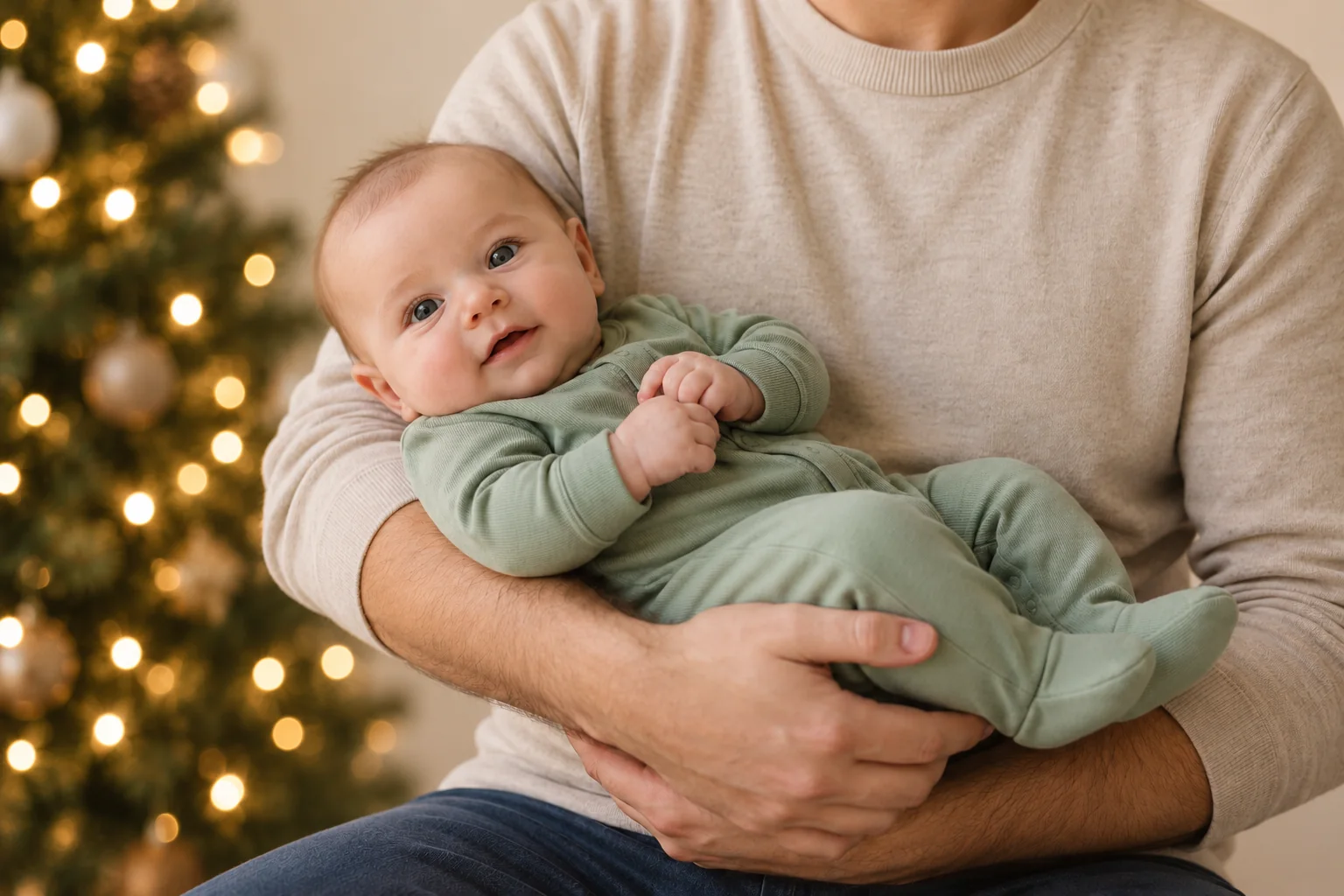
A useful Christmas baby photo prompt changes the setting while protecting the baby and every supporting hand. Start with a photo you already like, ask for one restrained background change, and add exact Christmas-card wording afterward. A tree in the distance is enough; the baby does not need to be surrounded by generated props.
The three edits below were actually made for this article with the built-in OpenAI ImageGen tool on November 1, 2026. The source is also synthetic. They show what happened in this specific run, not guaranteed results in ChatGPT, Gemini or Totti. No real child or customer upload was used.
The source and the shared instruction
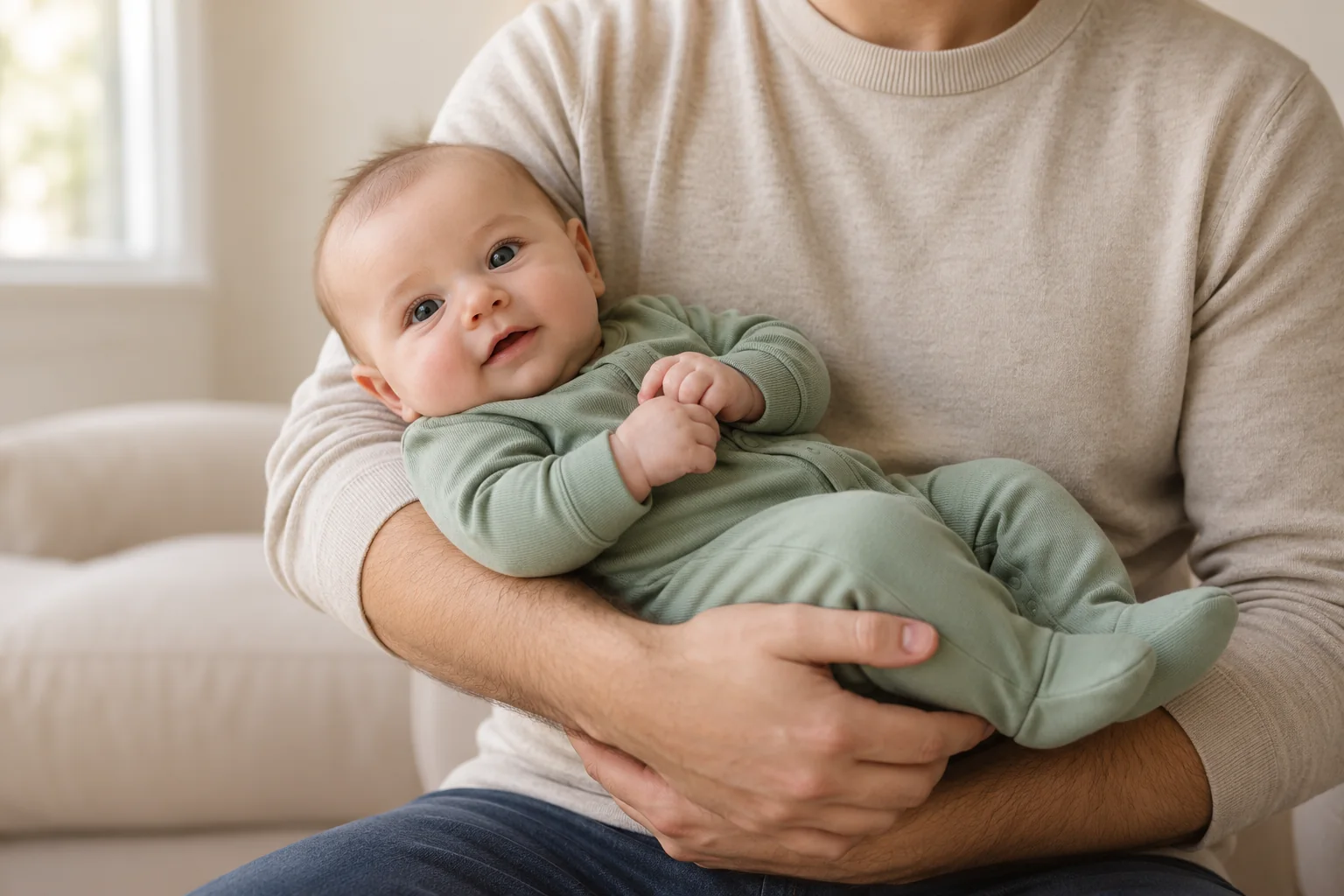
Each request began with this exact preservation instruction. It is deliberately longer than the background description:
Edit this synthetic source photograph. Preserve the fictional baby's identity, facial features, expression, hair, skin texture, hands, sage sleeper, exact pose, adult body, all supporting hands and arms, crop and foreground lighting. Change only the distant background. Do not generate text or alter anatomy. No objects, snow or decorations on or touching the baby.
Those words set the goal. They do not certify that the generator met it. Compare the adult’s fingers, sleeve edges, baby’s eyes and fabric folds between the source and results below. An appealing background can coexist with small changes elsewhere.
Example 1: a softly blurred Christmas tree
Append this scene instruction to the shared instruction:
Replace the distant room background with a softly blurred Christmas tree with warm white lights at far left and a plain cream wall. Muted natural festive color, no bright red cast, no sharp ornament near the subjects.
This is the most obviously festive version. The large bokeh lights make the left edge busier, so it is less suitable if you want to place small text over that area. Put wording on a plain border instead. Check the foreground hand shapes closely before choosing any similar result for a real family card.
Example 2: winter outside the window
Replace the distant background with a softly blurred cream living room and a window at far left showing gentle snow outside the closed window. All snow stays outdoors. Subtle winter daylight, natural interior, no props near the subjects.
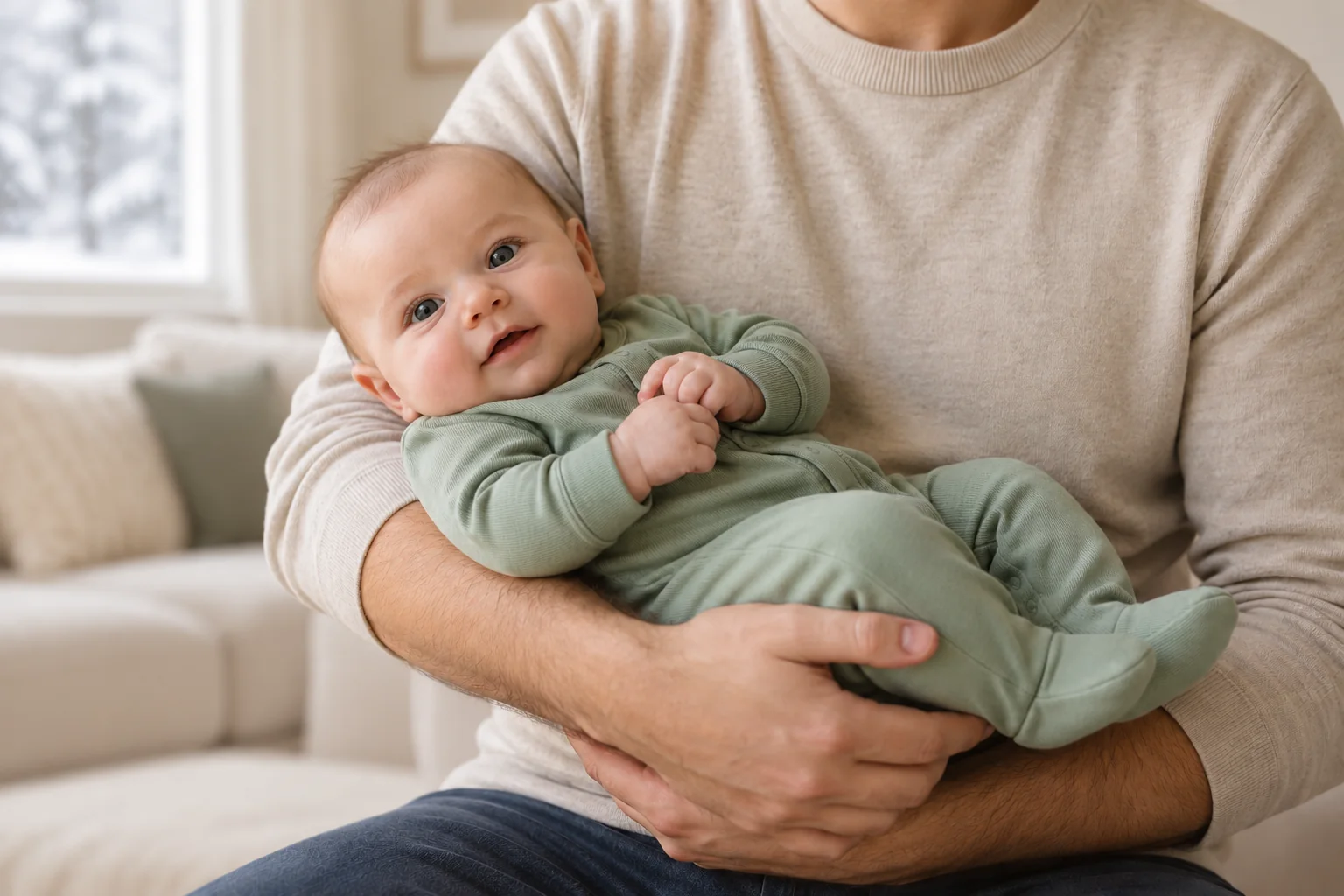
Choose this direction when you want a winter mood without a tree or Christmas symbols. If a snowy view is essential, inspect the full-size result rather than assuming the requested detail appears. Do not compensate for a subtle background by adding flakes across the baby’s face.
Example 3: a minimal sage background
Replace the distant background with a plain muted sage wall and one small out-of-focus evergreen decoration high at far left, leaving the upper-left background calm. Minimal Christmas-card atmosphere, natural warm light, no additional props.
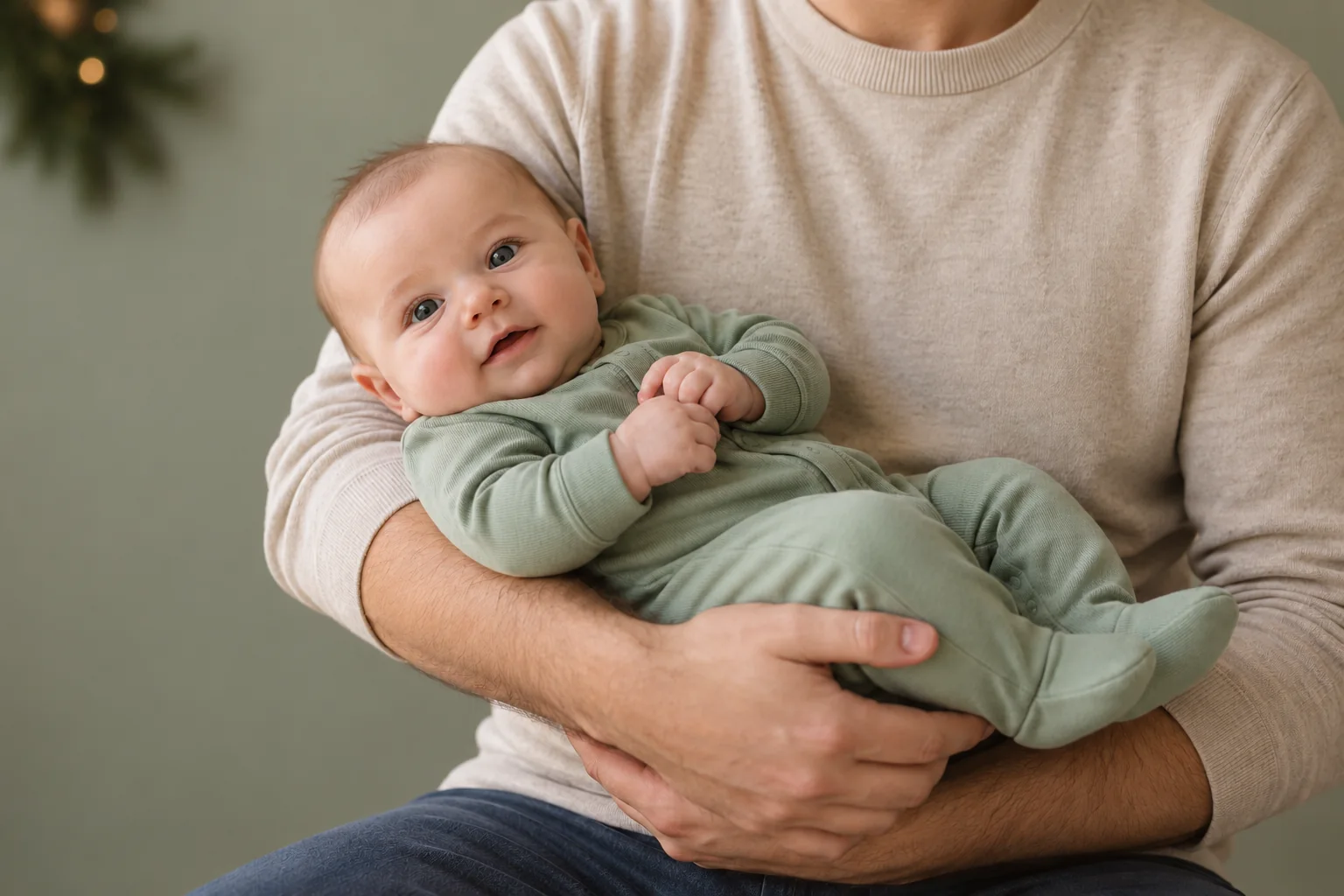
This palette is the easiest of the three to pair with cream stationery. The decoration still occupies the upper-left area, so the result does not provide completely blank text space. A separate border gives you more control than another request to generate lettering into the picture.
Five more Christmas prompts to adapt
These are additional original prompt ideas, not tested results. Add the shared preservation instruction and name the actual editable area in your source.
- Plain card background: “Change only the far wall to warm ivory with a very subtle evergreen shadow at its outer edge. Leave the wall uncluttered. Add no text, objects or clothing.”
- Muted festive palette: “Adjust only the distant background toward cream and muted burgundy. Keep skin, clothing and foreground white balance unchanged. Add no red light on faces.”
- Remove visual clutter: “Remove only the wrapping-paper pile in the distant corner and continue the existing wall. Preserve the real family moment and every person.”
- Quiet winter room: “Replace only the distant background with a softly blurred neutral winter interior. Keep the subject’s original light direction. Add no fire, candles, snow or props near the baby.”
- Space for a card layout: “Simplify the existing far wall into a plain cream background. Preserve the original framing and all people. Do not invent extra body parts to extend the canvas.”
For genuine exposure or color correction, try conventional adjustments first. Generating an entire scene to fix a slight orange cast is a larger change than the task requires. Our iPhone editing guide covers that simpler route.
What we tested and what we did not
Method, November 1, 2026: one newly generated 1536×1024 fictional source; three separate background-edit requests, each using that original as reference; one returned image per request. We inspected the source and results, then resized and compressed them for web delivery. We did not manually repair faces or hands, composite subjects, test these prompts in the Gemini or ChatGPT consumer interfaces, or run them in Totti. These are a small creative demonstration, not a scientific identity-preservation study.
Before keeping your own result, inspect the face, fingers, adult support, sleeper seams and background boundaries at full size. Keep the original. Add the year and greeting as editable text, check them twice, and say “AI-created Christmas portrait” if the new scene could be mistaken for a real session. For a physical keepsake, continue with the ornament crop guide; for a family card, see holiday card photo planning.

Prefer choosing a style to writing a prompt?
Totti offers baby-focused portrait templates on iPhone. Browse the current seasonal choices in the app; this article’s ImageGen examples do not establish which Totti styles are available.
View Totti on the App StoreFor iPhone. Free to download; optional in-app purchases. Check current availability and terms before uploading a photo.
